Cloud & VPS
Overview
A cloud VPS is a Linux host you rent. The install is identical. What changes is that it is on the public internet, which turns three optional things into mandatory ones:
- A firewall. Expose 80/443 only — never 8080, never 4000, never 5000.
- HTTPS. No exceptions.
- Backups you keep somewhere else. A cloud instance can vanish.
And two things you must understand before you spend money:
- Bandwidth is metered almost everywhere, and BitTorrent is bandwidth. This is where surprise bills come from.
- Your provider's acceptable-use policy applies to you. Read it.
Some providers prohibit BitTorrent traffic outright, some tolerate it, some will terminate your account on the first DMCA notice. This is a policy question, not a technical one, and it is entirely on you. UltraTorrent is a media acquisition platform — use it for content you have the right to.
Cloud providers are not among this project's own deployment targets. The UltraTorrent parts below are grounded in the repo; the provider specifics follow each vendor's standard practice and their consoles change constantly. Verify against current provider docs.
Video coming soon.
Prerequisites
- A cloud account and a domain name (you need one for HTTPS).
- SSH key-based access to the instance.
- A credit card you are watching.
Requirements
| Resource | Minimum | Comfortable | Why |
|---|---|---|---|
| vCPU | 2 | 2–4 | The build; steady state is light |
| RAM | 4 GB | 4–8 GB | The build peaks around 2 GB free — a 1 GB droplet will fail to build |
| Boot disk | 20 GB | 40 GB | OS + images |
| Data disk | Attach block storage | as big as your library | Boot disks are small and expensive |
| Bandwidth | check the cap | unmetered or generous | This is the real cost |
Roughly, per provider:
| Provider | Sane starting instance | Bandwidth notes |
|---|---|---|
| Hetzner | CX22 / CPX21 (2 vCPU, 4 GB) | Generous included traffic — usually the cheapest sane option |
| DigitalOcean | Basic 2 vCPU / 4 GB | Transfer allowance pooled per account; overage billed |
| Vultr | 2 vCPU / 4 GB Regular | Similar model to DO |
| Oracle Cloud | Ampere A1 (ARM) — 4 OCPU / 24 GB free tier | Big free tier, but capacity is often unavailable, and egress beyond the free allowance bills |
| AWS EC2 | t3.medium / t4g.medium | Egress is expensive. This is the classic surprise-bill platform |
| GCP | e2-medium | Egress billed per GB |
| Azure | B2s | Egress billed per GB |
| Linode/Akamai | 2 GB shared → 4 GB | 2 GB is too small to build |
On AWS/GCP/Azure, outbound data transfer is billed per gigabyte. A seeding torrent client is a machine for generating outbound data transfer. People have run up four-figure bills this way. If you use a hyperscaler, cap your upload rate, set a billing alarm, and know your egress price before you start.
ARM64 instances (Graviton, Ampere, Axion) work — the base images are multi-arch.
Ports
| Port | Open to the internet? |
|---|---|
| 22 (SSH) | Key-only, and ideally restricted to your IP |
| 80 | Yes — HTTP→HTTPS redirect and ACME |
| 443 | Yes — the UI |
| 8080 | No. Bind it to 127.0.0.1 and let the proxy reach it |
| 4000 (backend) | Never. Not published by default; keep it that way |
| 5000 (SCGI) | Never. Unauthenticated full remote control |
| Peer ports | Optional, and only if you understand the exposure |
Volumes
Use block storage for downloads, not the boot disk:
# after attaching the volume in the provider console
lsblk                                     # find the device, e.g. /dev/sdb
sudo mkfs.ext4 /dev/sdb
sudo mkdir -p /mnt/downloads
echo '/dev/sdb /mnt/downloads ext4 defaults,nofail,discard 0 2' | sudo tee -a /etc/fstab
sudo mount -a
sudo chown -R 1000:1000 /mnt/downloads
# docker-compose.override.yml
volumes:
  downloads:
    driver: local
    driver_opts:
      type: none
      o: bind
      device: /mnt/downloads
nofail matters in the cloudWithout it, an instance that boots before the volume attaches drops to an emergency shell and never comes back — and you get to debug it over a serial console.
Permissions
Standard Linux — the downloads folder must be writable by uid 1000 (or your PUID/PGID). See Permissions.
The more important permission question on a VPS is who can log in: keys only, no password auth, no root login.
Step-by-step
1. Create the instance
- Hetzner
- DigitalOcean / Vultr
- AWS EC2
- GCP / Azure
- Oracle Cloud
- Image: Ubuntu 24.04
- Type: CX22 (2 vCPU, 4 GB) or larger
- Volume: attach block storage for downloads
- Firewall: create one allowing 22 (your IP), 80, 443 — nothing else
- SSH key: add yours
Hetzner's included traffic allowance is generous, which is why it is the usual answer for this workload.
- Image: Ubuntu 24.04
- Size: Basic, 2 vCPU / 4 GB (the 1 GB tier cannot build the images)
- Volume: attach a Block Storage volume
- Firewall: cloud firewall allowing 22 (your IP), 80, 443
- SSH key: add yours
Watch your account's pooled transfer allowance.
- AMI: Ubuntu 24.04
- Instance:
t3.medium(x86) ort4g.medium(ARM/Graviton — cheaper) - Storage: 20 GB gp3 root + a separate EBS volume for downloads
- Security group: inbound 22 (your IP), 80, 443 only
- Elastic IP so the address survives a stop/start
Set a billing alarm before you do anything else, and cap your torrent upload rate.
GCP: e2-medium, Ubuntu 24.04, a separate persistent disk for downloads, firewall rules allowing 80/443 (and 22 from your IP).
Azure: Standard_B2s, Ubuntu 24.04, a data disk, an NSG allowing 80/443 (and 22 from your IP).
Both bill egress per GB. Set a budget alert.
The Ampere A1 free tier (up to 4 OCPU / 24 GB, ARM64) is generous, and UltraTorrent's images are multi-arch, so it builds.
Two things to know:
- A1 capacity is frequently unavailable in a given region — you may retry for days.
- Oracle instances ship with iptables rules baked into the image, on top of the cloud-level security list. Opening a port in the console is not enough:
sudo iptables -I INPUT -p tcp --dport 443 -j ACCEPT
sudo iptables -I INPUT -p tcp --dport 80 -j ACCEPT
sudo netfilter-persistent save
That local-iptables surprise is the single most common "I opened the port and it still does not work" on OCI.
2. Harden the box — before you install anything
sudo apt update && sudo apt upgrade -y

# SSH: keys only
sudo sed -i 's/^#\?PasswordAuthentication.*/PasswordAuthentication no/' /etc/ssh/sshd_config
sudo sed -i 's/^#\?PermitRootLogin.*/PermitRootLogin no/' /etc/ssh/sshd_config
sudo systemctl restart ssh

# Automatic security updates
sudo apt install -y unattended-upgrades fail2ban
Host firewall, in addition to the cloud one:
sudo ufw default deny incoming
sudo ufw default allow outgoing
sudo ufw allow 22/tcp
sudo ufw allow 80/tcp
sudo ufw allow 443/tcp
sudo ufw enable
Docker writes its own iptables rules and a published port bypasses ufw. ufw deny 8080 does not protect a container published on 0.0.0.0:8080. The only reliable fix is to not publish it publicly — bind it to localhost (next step) and use the cloud firewall as the outer layer.
3. Install Docker + UltraTorrent
curl -fsSL https://get.docker.com | sudo sh
sudo usermod -aG docker "$USER"     # log out and back in

git clone https://github.com/ultratorrentofficial/ultratorrent.git
cd ultratorrent
cp .env.example .env
for k in JWT_ACCESS_SECRET JWT_REFRESH_SECRET ENCRYPTION_KEY; do
  sed -i "s|^$k=.*|$k=$(openssl rand -base64 48 | tr -d '\n')|" .env
done
nano .env
POSTGRES_PASSWORD=lettersAndNumbers123
ADMIN_PASSWORD=a-genuinely-strong-password       # this one faces the internet
FRONTEND_PORT=8080
CORS_ORIGIN=https://torrents.example.com         # your real public origin
4. Bind the UI to localhost
This is the step that keeps the raw HTTP port off the internet.
# docker-compose.override.yml
services:
  frontend:
    ports: !override
      - "127.0.0.1:8080:8080"

volumes:
  downloads:
    driver: local
    driver_opts:
      type: none
      o: bind
      device: /mnt/downloads
!override needs a recent Compose v2. If yours rejects it, edit the ports: line in docker-compose.yml directly — a plain override appends ports rather than replacing them, which would leave 0.0.0.0:8080 published.
Verify afterwards. This command is the whole point of this section:
sudo ss -tlnp | grep 8080
# WANT:  127.0.0.1:8080
# NOT:   0.0.0.0:8080
5. Build, start, seed
docker compose --profile rtorrent up -d --build
docker compose exec backend npx prisma db seed
6. Put a proxy in front, with HTTPS
Point your domain's A record at the instance's IP, then — the shortest correct path:
sudo apt install -y caddy
# /etc/caddy/Caddyfile
torrents.example.com {
    encode gzip
    reverse_proxy 127.0.0.1:8080
}
sudo systemctl reload caddy
Caddy obtains the certificate, redirects HTTP→HTTPS, renews automatically, and proxies WebSockets transparently. Other proxies (NGINX, Traefik, HAProxy): Reverse proxy. Certificates in depth: TLS.
7. Log in
https://torrents.example.com → sign in as admin.
Immediately: change the admin password from the profile menu, and enable two-factor authentication. This login is on the public internet. See Security and Users.
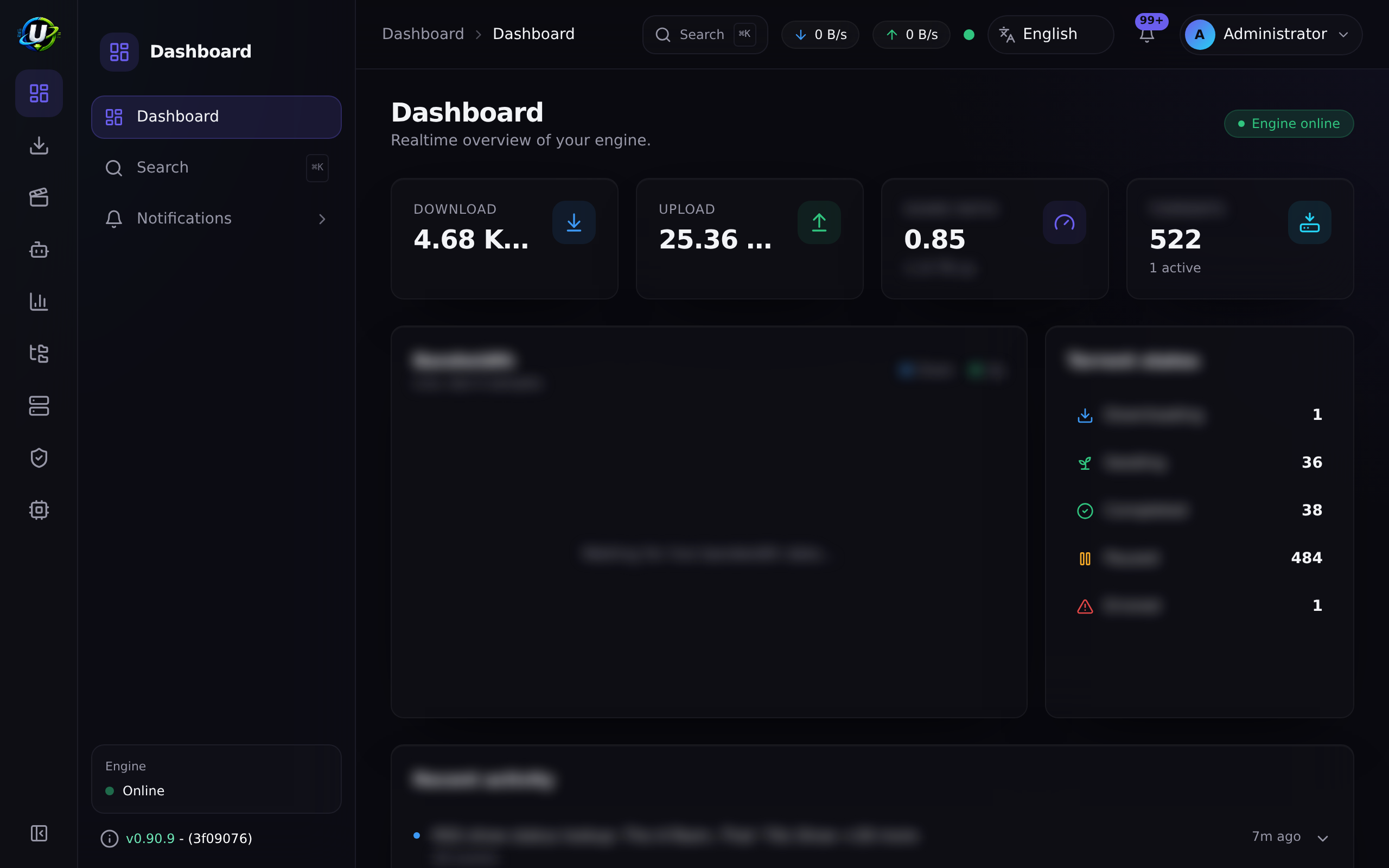
Then add the engine: Infrastructure → Engines → Add engine → rTorrent · SCGI over TCP · host rtorrent · port 5000 → Test connection → Add engine. And Settings → Default Root Path → /downloads.
Verification
# Nothing dangerous is listening publicly
sudo ss -tlnp | grep -E '0\.0\.0\.0:(8080|4000|5000)'
#   ^ this should print NOTHING

# The app answers over HTTPS
curl -s https://torrents.example.com/api/system/live
curl -s https://torrents.example.com/api/system/version
Confirm the WebSocket upgrades through the proxy — otherwise the UI will look fine and never update:
curl -i -N -H "Connection: Upgrade" -H "Upgrade: websocket" \
  -H "Sec-WebSocket-Version: 13" -H "Sec-WebSocket-Key: dGhlIHNhbXBsZSBub25jZQ==" \
  https://torrents.example.com/ws/
HTTP/1.1 101 Switching Protocols
From another machine, prove the raw ports are shut:
curl -m 5 http://<public-ip>:8080     # must time out / refuse
curl -m 5 http://<public-ip>:4000     # must time out / refuse
Reverse proxy
Mandatory. See Reverse proxy. The WebSocket upgrade is not optional — the live UI depends on it.
HTTPS
Mandatory. Let's Encrypt via Caddy is the shortest path; certbot + NGINX is the classic one. See TLS.
Updates
cd ultratorrent
docker compose exec -T postgres pg_dump -U ultratorrent ultratorrent > backup-$(date +%F).sql
# copy the dump OFF the instance:
scp backup-$(date +%F).sql you@home:/backups/

git pull
docker compose --profile rtorrent up -d --build
docker compose exec backend npx prisma db seed
Take a provider snapshot of the instance before an upgrade — it is the cloud equivalent of a Proxmox snapshot and gives you a whole-machine rollback. Full procedure: Upgrading.
Keep the OS patched: unattended-upgrades is doing that already if you installed it in step 2.
Backups
Off-instance or it does not count.
# Nightly: dump, then ship it somewhere else
docker compose exec -T postgres pg_dump -U ultratorrent ultratorrent \
  | gzip > /mnt/downloads/backups/ut-$(date +%F).sql.gz

# then rclone/scp/s3 it off the box
Also back up .env — without ENCRYPTION_KEY, stored 2FA secrets are unrecoverable.
Provider snapshots are convenient but they live in the same account that a compromise or a billing failure would take out. Keep one copy elsewhere. See Backup & restore.
Troubleshooting
| Symptom | Cause | Fix |
|---|---|---|
| Build is OOM-killed | The instance is too small — 1–2 GB RAM | Resize to 4 GB, or add swap and rebuild slowly |
| Port opened in the cloud console, still unreachable | A host firewall is also in the way (ufw, or Oracle's baked-in iptables) | Open it locally too: ufw allow 443/tcp, or iptables -I INPUT ... && netfilter-persistent save |
ufw deny 8080 does nothing — 8080 is still reachable | Docker bypasses ufw by writing its own iptables rules for published ports | Do not publish it: bind to 127.0.0.1:8080, and rely on the cloud firewall |
| Certificate issuance fails | Port 80 is blocked, or DNS has not propagated | Open 80 in both firewalls; check the A record actually resolves |
| Shocking bandwidth bill | Seeding, on a per-GB-egress provider | Cap upload rate, stop completed seeds, set a billing alarm, move to a flat-rate provider |
| Instance will not boot after adding a volume | An fstab entry without nofail | Add nofail; recover via the serial/rescue console |
| Downloads disk full, stack degrades | Boot disk used for downloads, or the volume filled | Downloads belong on block storage; monitor free space |
| UI loads over HTTPS but never updates | The WebSocket is not upgrading through the proxy | Run the 101 Switching Protocols test above; see Reverse proxy |
| Brute-force attempts in the logs | It is a public login page | Strong ADMIN_PASSWORD, enable 2FA, fail2ban, and consider proxy-level auth |
| Account suspended | Provider AUP / DMCA | A policy problem, not a technical one. Read the AUP before you deploy |
More: Troubleshooting · Security.
Best practices
- Never publish 8080, 4000 or 5000 to the internet. Bind to
127.0.0.1, front with a proxy. - Two firewalls: the cloud one and the host one. Remember Docker punches through ufw for published ports.
- HTTPS from day one. A plain-HTTP login page on the public internet ships your password in cleartext.
- Enable 2FA on the admin account immediately.
- SSH: keys only, no root login,
fail2ban. - Know your egress price and set a billing alarm before you seed anything.
- Cap the upload rate on a metered provider.
- Block storage for downloads, with
nofailinfstab. - Ship backups off the instance.
- Patch the OS automatically (
unattended-upgrades). - Read the provider's AUP. It is the risk that ends the project, not a misconfigured port.
- Prefer qBittorrent if you are running a large library on a remote box you will not babysit.
FAQ
Which provider is cheapest for this? Flat-rate/generous-traffic providers (Hetzner, and similar) beat per-GB-egress hyperscalers dramatically for a bandwidth-heavy workload. That is an arithmetic fact, not a preference.
Can I use Oracle's free tier? Yes — Ampere A1 is ARM64 and the images are multi-arch. Expect capacity headaches, and remember the baked-in iptables rules.
Is a 1 GB droplet enough? No. The build alone wants ~2 GB free. Use 4 GB.
Is this a seedbox? It can be one. Whether your provider is happy about that is a question only their AUP can answer.
Do I need a domain? For HTTPS, effectively yes. Let's Encrypt will not issue for a bare IP.
How do I stop the admin login being brute-forced?
Strong password, 2FA, fail2ban, and optionally an auth layer at the proxy (Cloudflare Access, basic auth). See Security.
Can I put it behind Cloudflare? For the web UI, yes — a Tunnel even avoids opening any inbound port. See Reverse proxy. BitTorrent peer traffic does not go through Cloudflare.
Checklist
- Provider AUP read and understood
- Instance ≥ 2 vCPU / 4 GB RAM
- Block storage attached for downloads, mounted with
nofail - Cloud firewall: 22 (your IP), 80, 443 — nothing else
- Host firewall enabled too (and Oracle's local iptables, if applicable)
- SSH keys only; root login off;
fail2baninstalled -
unattended-upgradesinstalled -
.env: alphanumericPOSTGRES_PASSWORD, strongADMIN_PASSWORD, three distinct secrets,CORS_ORIGIN= your HTTPS origin - Frontend bound to
127.0.0.1:8080— verified withss -tlnp - Reverse proxy + valid TLS certificate
-
/ws/returns 101 Switching Protocols through the proxy -
curl http://<public-ip>:8080from outside fails (as it should) - Admin password changed and 2FA enabled
- Billing alarm set; upload rate capped if egress is metered
- Backups running and shipped off the instance
See also
- Linux — the same install, on your own hardware
- Docker Compose install — the authoritative guide
- Reverse proxy · TLS — both mandatory here
- Security — read this before you expose anything
- Backup & restore · Upgrading · Performance