Linux
Overview
Linux is UltraTorrent's reference platform — it is developed, tested and deployed on it. The delta from the Docker Compose guide is small: install Docker, then follow that guide verbatim.
A manual, from-source install is also documented at the bottom. It exists for development. Use Docker for anything you care about.
Video coming soon.
Prerequisites
- A 64-bit Linux host (x86-64 or ARM64) you can
sudoon. - Outbound internet access (to pull base images and dependencies).
- ~2 GB free RAM and a couple of GB of disk.
Requirements
| Minimum | Comfortable | |
|---|---|---|
| CPU | 2 cores | 4 cores |
| RAM | 2 GB free (the build is the peak) | 4 GB+ |
| Disk (stack) | 3 GB | 10 GB |
| Disk (downloads) | your library | on its own filesystem |
| Kernel | anything Docker supports | — |
Ports
Exactly as in the main guide: only 8080 (the web UI) is published. Check it is free before you start:
sudo ss -tlnp | grep -E ':(8080|9696|8081)\b'
Anything listed → pick another FRONTEND_PORT in .env.
Volumes
Docker-managed named volumes live under /var/lib/docker/volumes/. You will almost certainly want to bind-mount downloads to a real path instead:
sudo mkdir -p /srv/downloads
sudo chown -R 1000:1000 /srv/downloads
# docker-compose.override.yml
volumes:
  downloads:
    driver: local
    driver_opts:
      type: none
      o: bind
      device: /srv/downloads
Permissions
- Add yourself to the
dockergroup so you do not needsudofor every command (and log out/in for it to take effect). - The download folder must be writable by uid 1000 (the backend's
nodeuser and the engines' defaultPUID). - Sharing the folder with another app (Plex, Jellyfin)? Set
PUID/PGIDto that user rather than chowning the folder — see Permissions.
Network
Step-by-step
1. Install Docker Engine + Compose
- Ubuntu / Debian
- Fedora
- Rocky / AlmaLinux / RHEL
- Arch
The official convenience script installs Engine and the Compose plugin:
curl -fsSL https://get.docker.com | sudo sh
sudo usermod -aG docker "$USER"     # then log out and back in
docker.io / docker-compose packagesThey are frequently old, and the legacy docker-compose (hyphen) script does not implement everything this stack uses. You want docker compose (space).
sudo dnf -y install dnf-plugins-core
sudo dnf config-manager --add-repo https://download.docker.com/linux/fedora/docker-ce.repo
sudo dnf -y install docker-ce docker-ce-cli containerd.io docker-buildx-plugin docker-compose-plugin
sudo systemctl enable --now docker
sudo usermod -aG docker "$USER"     # then log out and back in
sudo dnf -y install dnf-plugins-core
sudo dnf config-manager --add-repo https://download.docker.com/linux/centos/docker-ce.repo
sudo dnf -y install docker-ce docker-ce-cli containerd.io docker-buildx-plugin docker-compose-plugin
sudo systemctl enable --now docker
sudo usermod -aG docker "$USER"     # then log out and back in
SELinux is enforcing by default. If a bind-mounted downloads folder gives permission errors inside the container despite correct ownership, relabel it:
sudo chcon -Rt svirt_sandbox_file_t /srv/downloads
The SELinux relabel above is the standard remedy for bind-mount denials on RHEL-family hosts, but it is not exercised by this project's own deployments. Check sudo ausearch -m avc -ts recent if you hit denials.
sudo pacman -S --needed docker docker-compose
sudo systemctl enable --now docker
sudo usermod -aG docker "$USER"     # then log out and back in
Arch is not part of this project's own deployments. Docker behaves normally there; the stack has no distro-specific requirements.
Verify:
docker --version
docker compose version        # must be v2.x
docker run --rm hello-world
2. Install UltraTorrent
From here, follow the Docker Compose guide exactly — nothing on Linux deviates from it.
git clone https://github.com/ultratorrentofficial/ultratorrent.git
cd ultratorrent
cp .env.example .env

for k in JWT_ACCESS_SECRET JWT_REFRESH_SECRET ENCRYPTION_KEY; do
  sed -i "s|^$k=.*|$k=$(openssl rand -base64 48 | tr -d '\n')|" .env
done

nano .env       # set POSTGRES_PASSWORD (alphanumeric!) and ADMIN_PASSWORD

docker compose --profile rtorrent up -d --build
docker compose exec backend npx prisma db seed
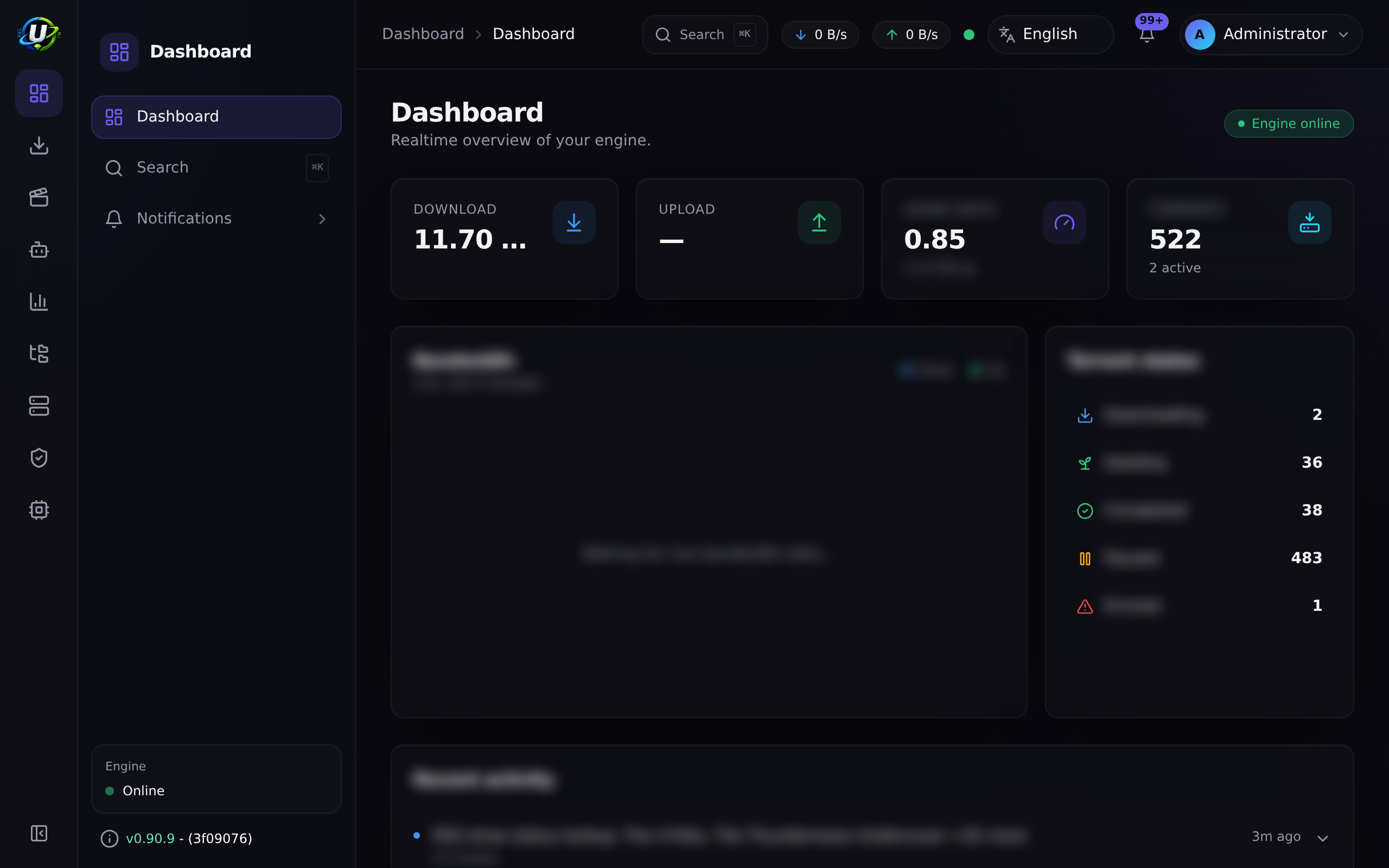
Open http://<host-ip>:8080 and sign in as admin.
3. Start on boot
Nothing to do — restart: unless-stopped on every service plus an enabled Docker daemon means the stack comes back after a reboot:
sudo systemctl enable docker
Confirm with an actual reboot; it is the only test that counts.
Verification
docker compose ps
curl -s http://localhost:8080/api/system/live
curl -s http://localhost:8080/api/system/version
NAME                       STATUS                    PORTS
ultratorrent-backend-1     Up 2 minutes (healthy)    4000/tcp
ultratorrent-frontend-1    Up 2 minutes (healthy)    0.0.0.0:8080->8080/tcp
ultratorrent-postgres-1    Up 2 minutes (healthy)    5432/tcp
ultratorrent-redis-1       Up 2 minutes (healthy)    6379/tcp
ultratorrent-rtorrent-1    Up 2 minutes (healthy)    5000/tcp
Reverse proxy
On a LAN, skip it. Exposing the box? Terminate TLS with NGINX, Caddy or Traefik — see Reverse proxy.
If a firewall is running, allow only what you need:
- ufw (Ubuntu/Debian)
- firewalld (Fedora/Rocky)
sudo ufw allow from 192.168.1.0/24 to any port 8080 proto tcp   # LAN only
sudo ufw enable
sudo firewall-cmd --permanent --add-port=8080/tcp
sudo firewall-cmd --reload
HTTPS
See TLS. On a LAN-only Linux box, plain HTTP is a defensible choice; the moment it is reachable from the internet, it is not.
Updates
cd ultratorrent
docker compose exec -T postgres pg_dump -U ultratorrent ultratorrent > backup-$(date +%F).sql
git pull
docker compose --profile rtorrent up -d --build
docker compose exec backend npx prisma db seed
Full procedure and rollback: Upgrading.
Backups
docker compose exec -T postgres pg_dump -U ultratorrent ultratorrent > /backups/ut-$(date +%F).sql
cp .env /backups/
A systemd timer or a cron line is enough. See Backup & restore.
Manual install (from source)
For development, or a host where Docker is not an option. This is not the supported production path.
Prerequisites
| Requirement | Version |
|---|---|
| Node.js | 20 LTS (pinned by .nvmrc; engines requires ≥20) |
| PostgreSQL | 14+ |
| Redis | 6+ |
| rTorrent | any recent build reachable over SCGI — optional to boot, required to actually download |
Do not rely on a distro nodejs/npm package — a mismatched distro npm is a classic source of Cannot find module 'semver' and Prisma version errors. Use nvm (nvm install 20 && nvm use 20) or NodeSource. Avoid non-LTS Node.
Steps
# 1. Clone and install (npm workspaces — always install from the repo root)
git clone https://github.com/ultratorrentofficial/ultratorrent.git
cd ultratorrent
npm install

# 2. Backend environment
cp .env.example apps/backend/.env
.env.example is written for Docker, where the database host is the postgres service name. For a manual install, point it at your local services:
DATABASE_URL=postgresql://ultratorrent:<PASSWORD>@localhost:5432/ultratorrent?schema=public
REDIS_HOST=localhost
Easiest way to get PostgreSQL and Redis without installing them:
docker compose -f docker-compose.dev.yml up -d # publishes 5432 and 6379 to the host
# 3. Prisma: generate, migrate, seed
npm run prisma:generate
npm run prisma:migrate      # prisma migrate deploy
npm run prisma:seed         # permissions, roles, admin, settings

# 4. Run both apps in dev mode
npm run dev
#   backend  → http://localhost:4000   (Swagger at /api/docs outside production)
#   frontend → http://localhost:5173   (proxies /api and /ws to the backend)
Without ADMIN_PASSWORD set, a local dev seed falls back to a well-known development password (changeme123!). Change it immediately. In production ADMIN_PASSWORD is required and there is no fallback.
Updating a manual install:
git pull
nvm use                     # if the required Node changed
npm install
npm run prisma:generate
npm run prisma:migrate
npm run prisma:seed
npm run build
# restart however you run it (systemd / pm2 / nohup)
Troubleshooting
| Symptom | Cause | Fix |
|---|---|---|
permission denied … /var/run/docker.sock | You are not in the docker group | sudo usermod -aG docker "$USER", then log out and back in |
docker compose → command not found | Only the legacy docker-compose is installed | Install the Compose plugin (docker-compose-plugin, or the get.docker.com script) |
| Port 8080 already in use | Another service owns it | sudo ss -tlnp | grep 8080, then set FRONTEND_PORT in .env |
| The build is OOM-killed | Under ~2 GB free RAM | Free memory or add swap, then rebuild |
Bind-mounted downloads unwritable despite correct chown | SELinux (Fedora/Rocky/RHEL) | sudo chcon -Rt svirt_sandbox_file_t /srv/downloads |
| Container cannot resolve DNS | Host DNS or a VPN interfering with Docker's bridge | Set dns: on the service, or fix /etc/docker/daemon.json |
| Stack does not come back after reboot | Docker is not enabled | sudo systemctl enable docker |
(Manual) Prisma only supports Node.js >= 16.13 | Node too old | Install Node 20 via nvm or NodeSource |
(Manual) Cannot find module 'semver' from /usr/share/nodejs/npm | Broken distro npm | Remove the distro nodejs/npm packages; use nvm or NodeSource |
(Manual) P1001: Can't reach database server at postgres:5432 | DATABASE_URL still points at the Docker service name | Change the host to localhost |
More: Troubleshooting.
Best practices
- Use the Compose plugin, never the legacy
docker-composescript. - Bind-mount downloads to a dedicated filesystem — a full root partition takes the whole stack down.
- Keep the box patched:
unattended-upgrades(Debian/Ubuntu) ordnf-automatic(Fedora/Rocky). - Firewall it. Only 8080 on the LAN — or only 80/443 if a proxy fronts it.
- Put
pg_dumpon a timer, not in your memory. - Prefer Docker over the manual install for anything you rely on.
- If a media server shares the download folder, set
PUID/PGIDrather than chowning it.
FAQ
Which distro should I use? Any Docker-supported one. Ubuntu LTS and Debian stable are the least surprising.
Does it work on ARM (Raspberry Pi, ARM server)? The base images are multi-arch, so ARM64 builds. Be aware the build needs ~2 GB of RAM — a 2 GB Pi is marginal, and a 1 GB one will not make it.
Can I run it rootless? Rootless Docker is not something this project tests. The rTorrent entrypoint already handles being started as a non-root user, but expect to work through volume-permission issues yourself.
Do I need sudo for every command?
No — add yourself to the docker group.
Can I use Podman?
Not tested. The Compose file uses profiles, healthcheck conditions and named-volume bind options; podman compose support for those varies.
Checklist
- Docker Engine installed and enabled at boot
-
docker compose versionprints v2.x - Current user in the
dockergroup (logged out and back in) - Port 8080 free, or
FRONTEND_PORTchanged - Downloads folder created, owned by
1000:1000(or byPUID/PGID) -
.envfilled — alphanumericPOSTGRES_PASSWORD, three distinct secrets -
docker compose --profile rtorrent up -d --buildcompleted - Seed run once
- Logged in, engine connected, test torrent downloading
- Firewall restricts 8080 to the LAN
- Backups scheduled
- Survives a reboot
See also
- Docker Compose install — the authoritative guide
- Reverse proxy · TLS · Upgrading
- Cloud / VPS — a Linux box on someone else's hardware
- Proxmox — a Linux VM on your own
- Performance · Security