Integrating Plex, Jellyfin & Emby
Level: 🔵 Intermediate · Time: ~30 minutes
Two separate things live behind the words "media server integration", and it is worth knowing which one you are setting up:
| Media-server refresh | Media Server Analytics | |
|---|---|---|
| What | UltraTorrent tells your server "rescan, there is new media". | UltraTorrent reads your server: who is watching what, history, recently added, reports, newsletters. |
| Where | Media Management → Media Settings (/media/settings) | Media Server Analytics → Server Connections (/media-server-analytics/connections) |
| Why | New downloads appear in Plex without you clicking Scan. | You get Tautulli-style insight into your server. |
Both are built on the same provider layer and the same encrypted-connection model. Set up the first; the second is a bonus you should not skip.
Overview
Purpose
By the end:
- New media appears in your server automatically, correctly named, with a poster.
- You can see who is watching what, right now.
- You have watch history, reports and (optionally) newsletters.
When to use this tutorial
| Use it when… | Use something else when… |
|---|---|
| Your server does not see new downloads. | Your downloads are not being renamed at all → Building a movie library. |
| You want watch analytics. | You want to acquire media → Smart RSS rules. |
Prerequisites
- A working library whose items are renamed and identified — see Building a movie library. Do that first; there is no point refreshing a server at a folder full of scene names.
- A running Plex / Jellyfin / Emby / Kodi that can see the same files.
- Its base URL and an auth token.
- Permissions:
media_manager.manage_integrations; for analytics,media_server_analytics.viewandmedia_server_analytics.manage_connections.
UltraTorrent writes to (say) /downloads/movies inside its container. Your Plex
container must have the same media mounted, and Plex's library must point at
Plex's path for it.
They do not have to be the same string — but they must be the same files. If Plex's library points somewhere else entirely, a refresh will do exactly nothing and you will blame the integration.
Concepts
| Term | Meaning |
|---|---|
| Media server provider | The abstraction behind Plex/Jellyfin/Emby/Kodi. Business logic never touches a vendor client. |
| Capability set | What a given server can actually serve: libraries, recentlyAdded, sessions, watchHistory, refresh. |
| Refresh | UltraTorrent pushing "rescan this library" to the server. |
| Connection | A stored server: name, type, base URL, encrypted token, enabled/default flags, health, version, platform, capabilities. |
What each server can do
| Server | Auth | Capabilities |
|---|---|---|
| Plex | X-Plex-Token | Full capability set |
| Jellyfin | X-Emby-Token | Full capability set |
| Emby | X-Emby-Token | Full capability set |
| Kodi | JSON-RPC (optional basic auth) | A client library — no section list, no sessions. Declares those capabilities false. |
A capability a provider genuinely cannot serve returns a clean, typed "not supported" result rather than a generic failure. Kodi will not pretend to have sessions. Analytics simply shows less for that server.
Step-by-step
Step 1 — Get your server's base URL and token
| Server | Base URL | Token |
|---|---|---|
| Plex | http://plex:32400 (container) or http://192.168.1.x:32400 | An X-Plex-Token. |
| Jellyfin | http://jellyfin:8096 | An API key from Jellyfin's Dashboard → API Keys. |
| Emby | http://emby:8096 | An API key from Emby's dashboard. |
| Kodi | http://kodi:8080/jsonrpc | Optional basic auth. |
localhost will not workFrom inside the UltraTorrent backend container, localhost is the backend. Use the
container name (if they share a Docker network) or the host's LAN IP.
Expected result: a base URL and a token you can paste.
Step 2 — Add the connection for post-download refreshes
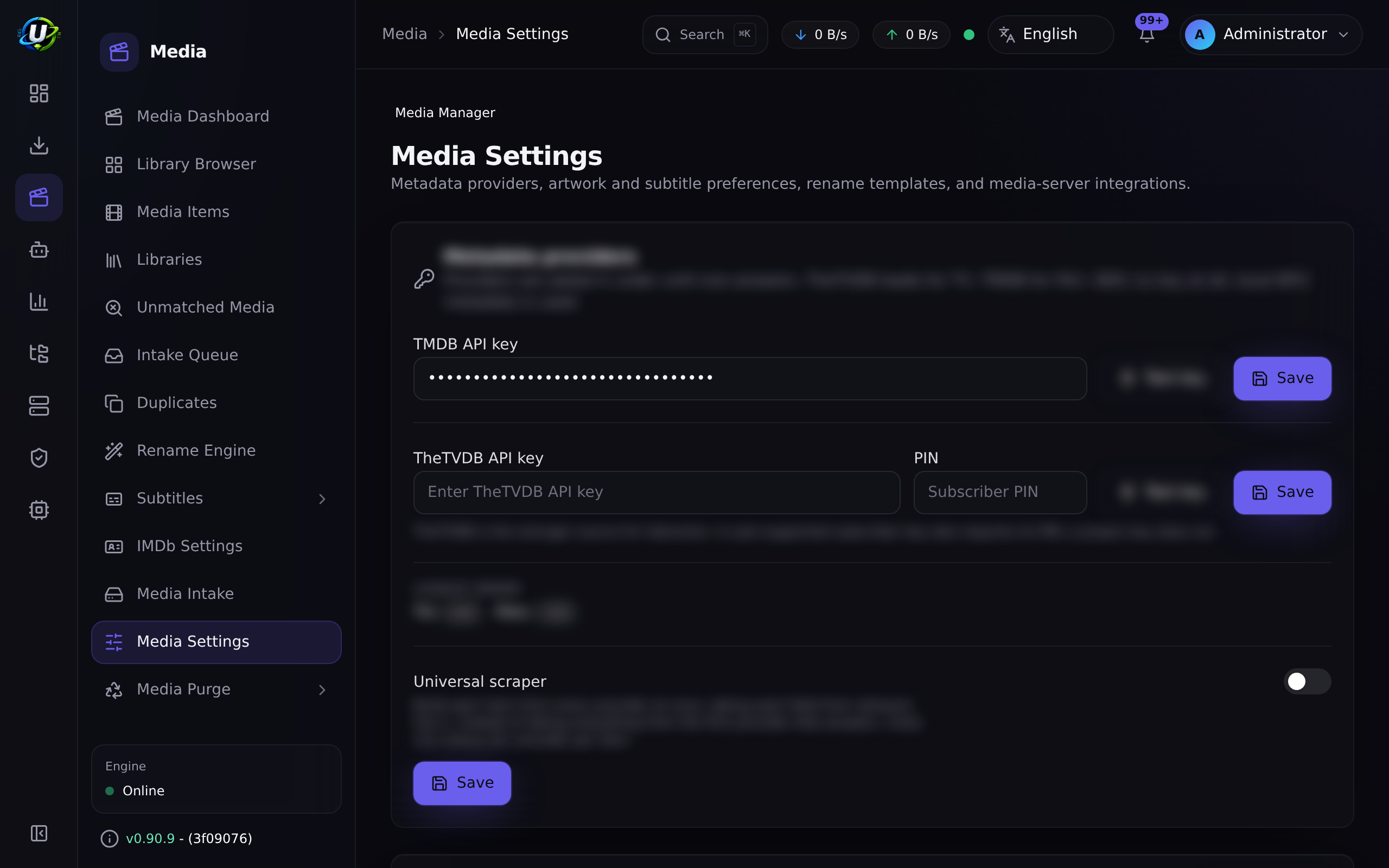
Go to Media Management → Media Settings (/media/settings). This page hosts
Metadata Providers, Artwork, Subtitle preferences, NFO tooling and Media Server
Integrations.
Add your server: kind, base URL, token.
Test the connection.
Integration secrets — media-server tokens, keys and passwords — are AES-GCM encrypted at rest and redacted in API responses. They are never logged and never returned to the browser.
Expected result: a successful test, and the connection saved.
Step 3 — Make sure your server's library points at the right place
Open your media server (not UltraTorrent) and check that the library points at the same media UltraTorrent is writing.
If UltraTorrent's Movies library is /downloads/movies and its container shares a
volume with Plex mounted at /media/movies, then Plex's Movies library must point at
/media/movies.
Expected result: browsing the server's library shows the files UltraTorrent renamed.
Step 4 — Trigger it, and watch the refresh happen
Download something into a library root (or re-run a scan + rename).
The post-download pipeline ends with a media-server refresh:
Expected result: the new item appears in your server within a minute or two, correctly named, with a poster.
media.server_refresh_failed is an automation trigger. Build a rule on it — a
webhook, say — otherwise a silently broken integration can go unnoticed for weeks.
Step 5 — Turn on Media Server Analytics
Now the second half.
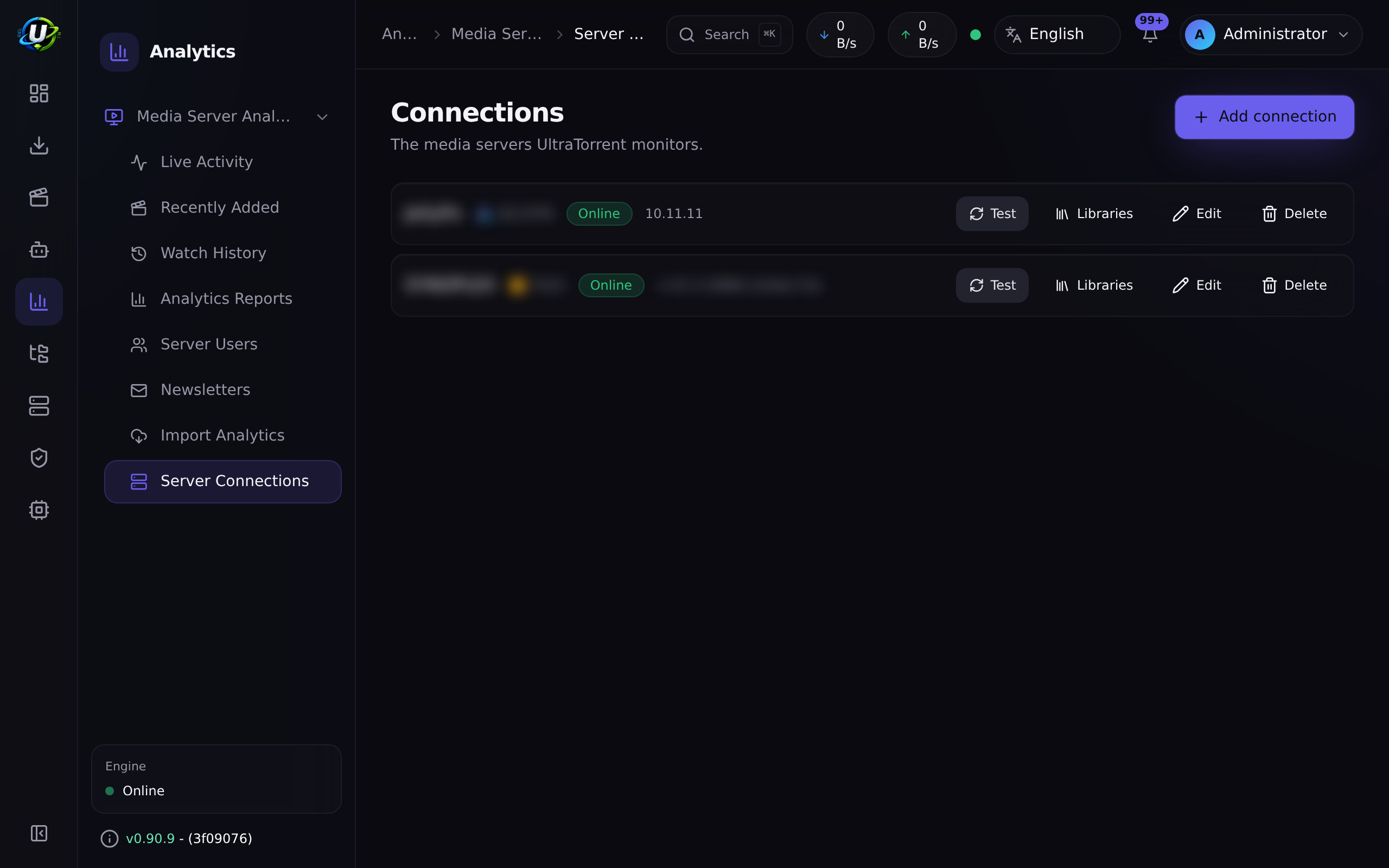
Go to Media Server Analytics → Server Connections
(/media-server-analytics/connections) and add your server here too.
- Unlimited connections, including multiple of the same type — e.g. "Plex Home" and "Plex Remote".
- Each stores name, type, base URL, encrypted token, enabled + default flags, health status, server version, platform, capabilities and notes.
- Click Test — it probes the server and persists its health, version, platform and capabilities.
Expected result: the connection shows healthy, with a detected version and a capability set.
Step 6 — Explore what analytics gives you
| Page | Route | Shows |
|---|---|---|
| Analytics Dashboard | /media-server-analytics | Server counts, health, connection summaries. |
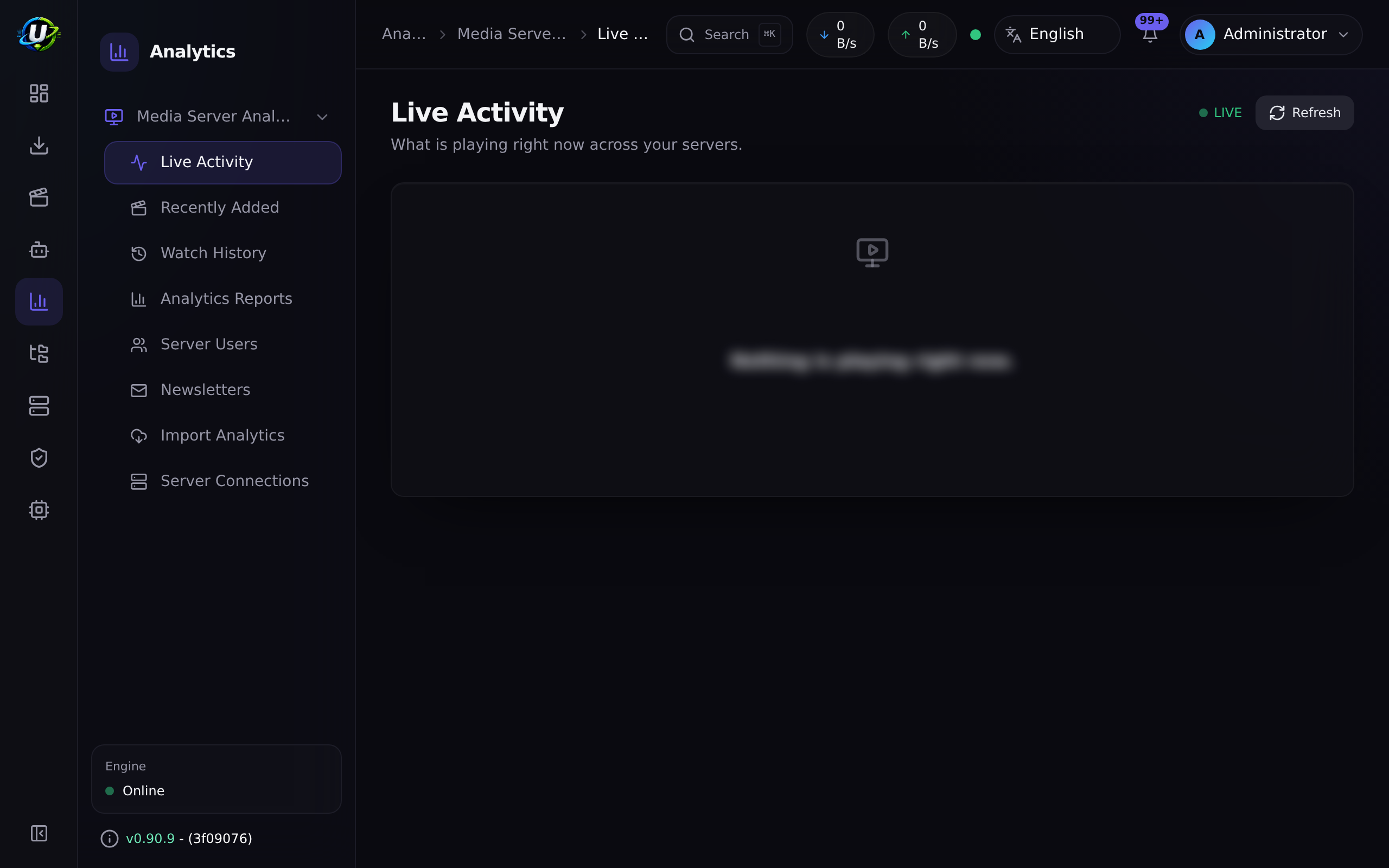
| Live Activity | /media-server-analytics/live | Current now-playing sessions. Polled every 30 seconds; you can also reconcile on demand. |
| Watch History | /media-server-analytics/watch-history | Completed playback. |
| Recently Added | /media-server-analytics/recently-added | What has landed lately. |
| Analytics Reports | /media-server-analytics/reports | Usage reporting. |
| Newsletters | /media-server-analytics/newsletters | "Here's what's new" digests. |
| Import Analytics | /media-server-analytics/import | Historical analytics import. |
Tautulli is not a media server — it is a historical analytics/newsletter import source, behind a separate import-provider abstraction. The import itself lands in a later phase; do not plan a migration around it yet.
Expected result: Live Activity shows a session when you press play on your server.
Video coming soon.
Examples
Two Plex servers, one UltraTorrent
| Connection | Type | Base URL | Default |
|---|---|---|---|
| Plex Home | plex | http://plex:32400 | ✅ |
| Plex Remote | plex | https://plex.example.com |
Multiple connections of the same type are explicitly supported.
The two integrations, side by side
Media Settings (/media/settings) | Analytics (/media-server-analytics/connections) | |
|---|---|---|
| Direction | Push — refresh after import | Pull — read sessions and history |
| Needed for | New media appearing automatically | Live activity, history, reports, newsletters |
| Set up first? | ✅ Yes | Afterwards |
Troubleshooting
| Symptom | Cause | Fix |
|---|---|---|
| Test fails: connection refused | Wrong host. localhost from inside the backend container is the backend. | Use the container name or the LAN IP. |
| Test fails: unauthorized | Bad or expired token. | Regenerate it in the server's own UI. |
| Refresh "succeeds" but nothing appears | Your server's library points at different files. | Make the server's library path resolve to the same media. |
| Items appear with wrong titles | The files are badly named — this is not a server problem. | Fix identification and renaming → Building a movie library. |
| Posters missing in Plex | No artwork fetched, or Plex is using its own agent. | Configure a metadata/artwork provider in /media/settings; check Plex's agent settings. |
| Kodi shows no sessions | Correct. Kodi is a client library — it declares sessions and section-list as unsupported. | Nothing to fix. Use Plex/Jellyfin/Emby for session analytics. |
| Live Activity is empty | Nothing is playing, or the server does not support sessions. | Press play. Check the connection's capability badges. |
| Refresh silently stopped working | Token rotated, or the server moved. | Re-test the connection, and check the connection's health on /media-server-analytics/connections. |
Secrets look like •••••• | Correct. They are encrypted at rest and redacted on read. | Leave the field blank on edit to keep the stored value. |
Tips
90% of "Plex shows the wrong thing" is a naming problem, not an integration problem.
The library's preset (plex/jellyfin/emby/kodi) exists precisely to name
files the way your server expects.
UltraTorrent generates Kodi-style movie/tvshow/season/episode NFO sidecars as the last enrichment stage, inside the hard roots only. Servers that read them get better metadata for free. Servers that ignore them are unharmed.
If Plex's own agent is renaming/moving files while UltraTorrent's rename engine is also managing them, you will get a fight. Let UltraTorrent own the filesystem; let the server read it.
Ask a server for something it cannot do and you get a clean "unsupported" answer, not an error. That is why Kodi appears with fewer panels rather than a broken one.
FAQ
Do I need Plex at all? No. UltraTorrent's library is a filesystem; any server can read it. The integration just saves you clicking Scan.
Can I connect more than one server? Yes — unlimited connections, including several of the same type.
Does UltraTorrent replace Tautulli? Media Server Analytics covers live activity, watch history, recently-added, reports and newsletters. Tautulli import (bringing your historical data across) is behind a separate import-provider abstraction and lands in a later phase.
Is my Plex token safe? It is AES-256-GCM encrypted at rest, redacted in every API response, and never logged.
Why does Kodi show fewer features?
Because it is a client library, not a server. It genuinely has no session list or
library sections, and it declares those capabilities as false rather than
pretending.
Will UltraTorrent delete things from my server?
No. The integration pushes refreshes. Deletion of media files is a Media Manager
action, permission-gated (media_manager.delete) and audited.
Checklist
Verification
- My library is renamed and identified before I touched the integration.
- My media server can see the same files.
- A connection exists in Media Settings (
/media/settings) and its Test passes. - A download into the library root caused the server to refresh on its own.
- The new item appears in the server, correctly named, with a poster.
- A connection exists in Server Connections (
/media-server-analytics/connections), healthy, with a detected version and capabilities. - Live Activity shows a session when I press play.
- Watch History is populating.
Expected results
| Screen | Expected |
|---|---|
/media/settings | A media-server integration, Test OK |
| Your media server | New items appearing without manual scans |
/media-server-analytics/connections | Healthy, with version + capabilities |
/media-server-analytics/live | A session when something is playing |
Next steps
- Automating TV shows — fill the library that now refreshes itself.
- Media Server Analytics — the full module reference.
See also
- Media Server Analytics · Media Manager
- Automation
- Workflows — Workflow 5.
- Security — how integration secrets are protected.
- Troubleshooting · Glossary