Automation
Overview
Automation is the rule engine. It watches for things happening, checks whether they meet your conditions, and runs actions.
trigger → conditions (all must pass) → actions (run in order)
That is the whole model, and it is deliberately small. "When a download completes, and its label is movies, and its ratio is above 2.0 — move it, then stop seeding it."
It is a core module (id automation, permissions automation.view / automation.manage), and it is what Smart Download and RSS both hook into.
Why / when to use it
- Post-processing. Move a completed download somewhere else; hand it to Media Manager for renaming.
- Seeding hygiene. Stop or delete a torrent once it has hit your ratio target.
- Integration. Fire a webhook into something UltraTorrent knows nothing about.
- Reacting to your library. A show ends — convert its RSS rule to backfill, automatically.
If you find yourself doing the same thing by hand twice a week, it belongs here.
Prerequisites
- A working engine (
automationdeclares it as a hard dependency). automation.viewto see rules and their logs;automation.manageto create or change them.
Concepts
Trigger — the event that starts a rule. A rule has exactly one.
Condition — a { field, op, value } test against the event's context. Conditions are ANDed: every one must pass. Zero conditions means the rule always matches.
Action — what to do. A rule has an ordered list, and they run sequentially. The first action to throw aborts the remaining actions of that rule and logs the run as failed.
Priority — an integer. Higher priority runs first. Every matching rule runs; there is no stop-after-first-match.
Rising edge — a rule only fires on the transition into a matching state, not repeatedly while it stays there. This applies to ratio.reached: if the previous state already satisfied the conditions, the rule is skipped.
Execution log — every run is recorded in AutomationLog with a status (success / failed), the context, and a message. It is also mirrored to the audit log.
How it works
Idempotency on torrent.completed
A completion is an edge: the torrent crosses from incomplete to complete, and the rule fires. But what about a torrent that was already complete when you wrote the rule? It never crosses the edge, so it never fires — which is why "completed torrents keep seeding despite my delete rule" was a real and confusing bug.
It is fixed with a backfill: torrent.completed rules are re-run against already-complete torrents, using successful AutomationLog rows (keyed ruleId::hash) as a ledger of what has already been done. Failures are not recorded as done, so they retry on the next cycle.
Configuration
Triggers
Fourteen triggers exist, in three families.
| Trigger | Category | Fires when |
|---|---|---|
torrent.completed | torrent | A download completes (plus the backfill above). |
ratio.reached | torrent | The share ratio crosses your threshold. Rising-edge. |
media.detected | media | A new media file is scanned. |
media.matched | media | An item is identified. |
media.unmatched | media | An item could not be identified. |
media.missing_artwork | media | An item has no artwork. |
media.missing_subtitles | media | An item has no preferred subtitles. |
media.rename_completed | media | A rename/move completed. |
media.server_refresh_failed | media | A media-server refresh failed. |
rss.rule.created_for_inactive_show | rss | Someone overrode the ended/canceled warning. |
rss.show_status.changed | rss | A monitored show's airing status changed. |
rss.show.became_active | rss | A monitored show came back. |
rss.show.ended | rss | A monitored show ended. |
rss.show.canceled | rss | A monitored show was canceled. |
Condition operators
Exactly eight:
| Operator | Behaviour |
|---|---|
eq / neq | Strict equality / inequality. |
gt / gte / lt / lte | Numeric comparison — both sides are coerced to numbers. |
contains | Substring match on the stringified value. |
matches | Case-insensitive regular expression. An invalid regex returns false rather than throwing — so a typo silently never matches. |
falseAny operator that is not one of these eight evaluates to false, so the rule never fires. If a rule mysteriously never runs, check the operator first.
Actions
Eighteen actions exist, in four families.
Torrent actions (need a real torrent — only valid on the torrent triggers):
move (param destination), pause, stop, delete, delete_with_data, rename_for_media (params preset, mode — default hardlink — libraryPath, template).
Context-free actions (valid on any trigger):
webhook (POSTs JSON to params.url).
Media actions:
media_scan_library, media_match, media_fetch_metadata, media_fetch_artwork, media_generate_nfo, media_rename, media_move, media_server_refresh.
RSS actions:
refresh_rss_show_status, disable_rss_rule, convert_rule_to_backfill (turns off autoDownload — keep the rule, stop forward auto-grabbing).
The UI rule builder currently exposes only two triggers (torrent.completed, ratio.reached) and seven actions (move, pause, stop, delete, delete_with_data, webhook, rename_for_media), with condition fields limited to name, label, state, ratio, size, progress, downloadRate, uploadRate.
The other twelve triggers (all media.* and rss.*) and eleven actions (all media_* and rss_*) exist in the engine and are fully functional, but are reachable only through the REST API — POST /api/automation/rules. The full live catalog is at GET /api/automation/catalog.
If you need them, create the rule via the API. It will run correctly; you just cannot author it in the form yet.
Event-context rules
The five rss.* triggers run through a separate path (evaluateEvent) that matches conditions against a plain event object rather than a torrent. Only event-safe actions are permitted there: webhook and the three rss_* actions. Any other action id is rejected with Action "<type>" is not valid for an event trigger and logged as failed.
Rule fields
| Field | What it does | Default |
|---|---|---|
name | Display name. | — |
description | Free text. | — |
trigger | The one trigger. | — |
conditions | The ANDed condition array. Empty = always matches. | [] |
actions | The ordered action array. | [] |
isEnabled | Whether it runs. | true |
priority | Higher runs first. | 0 |
Endpoints
| Method | Path | Permission |
|---|---|---|
| GET | /api/automation/catalog | automation.view |
| GET | /api/automation/rules | automation.view |
| POST | /api/automation/rules | automation.manage |
| PATCH | /api/automation/rules/:id | automation.manage |
| DELETE | /api/automation/rules/:id | automation.manage |
| GET | /api/automation/rules/:id/logs | automation.view |
Step-by-step walkthrough
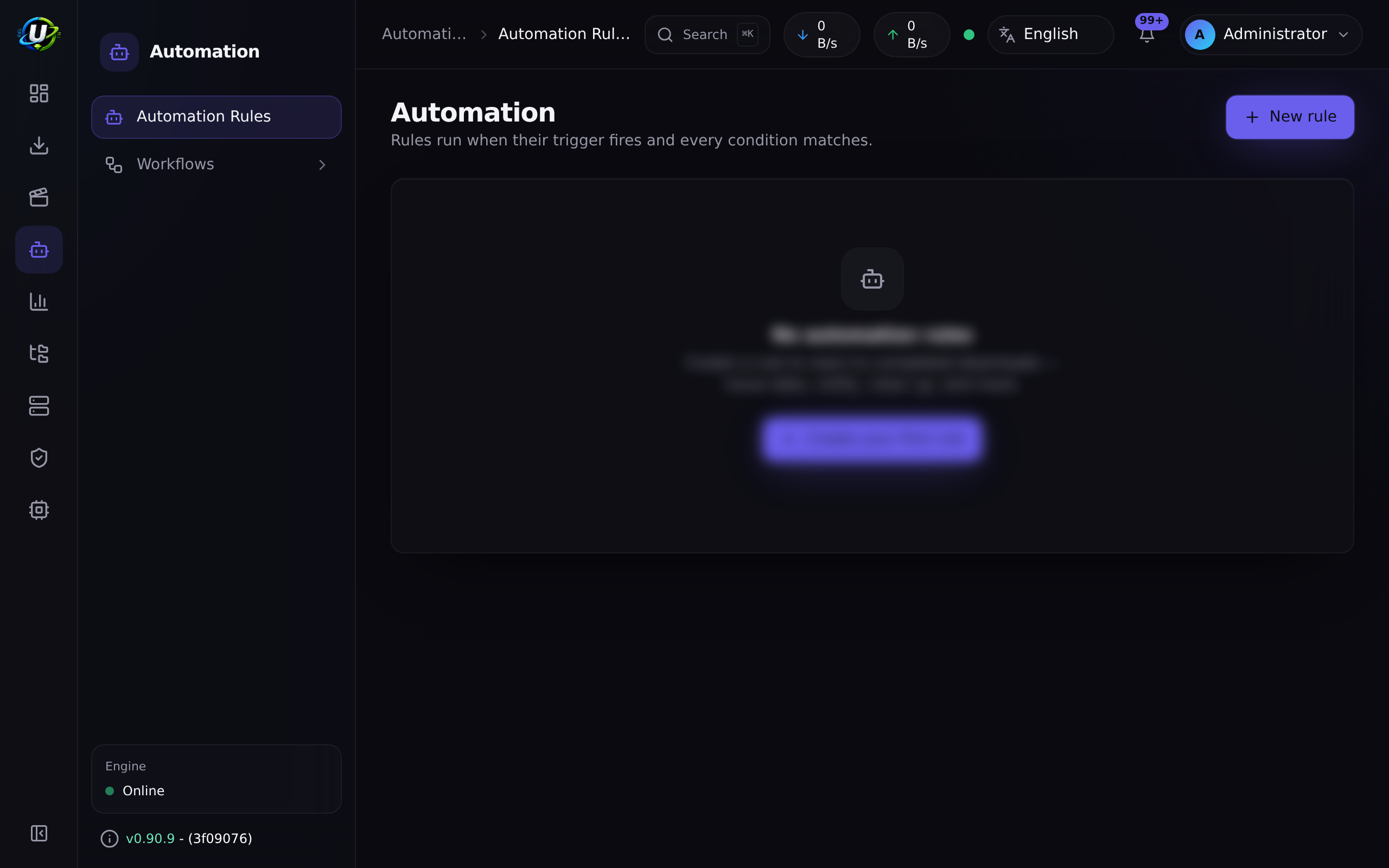
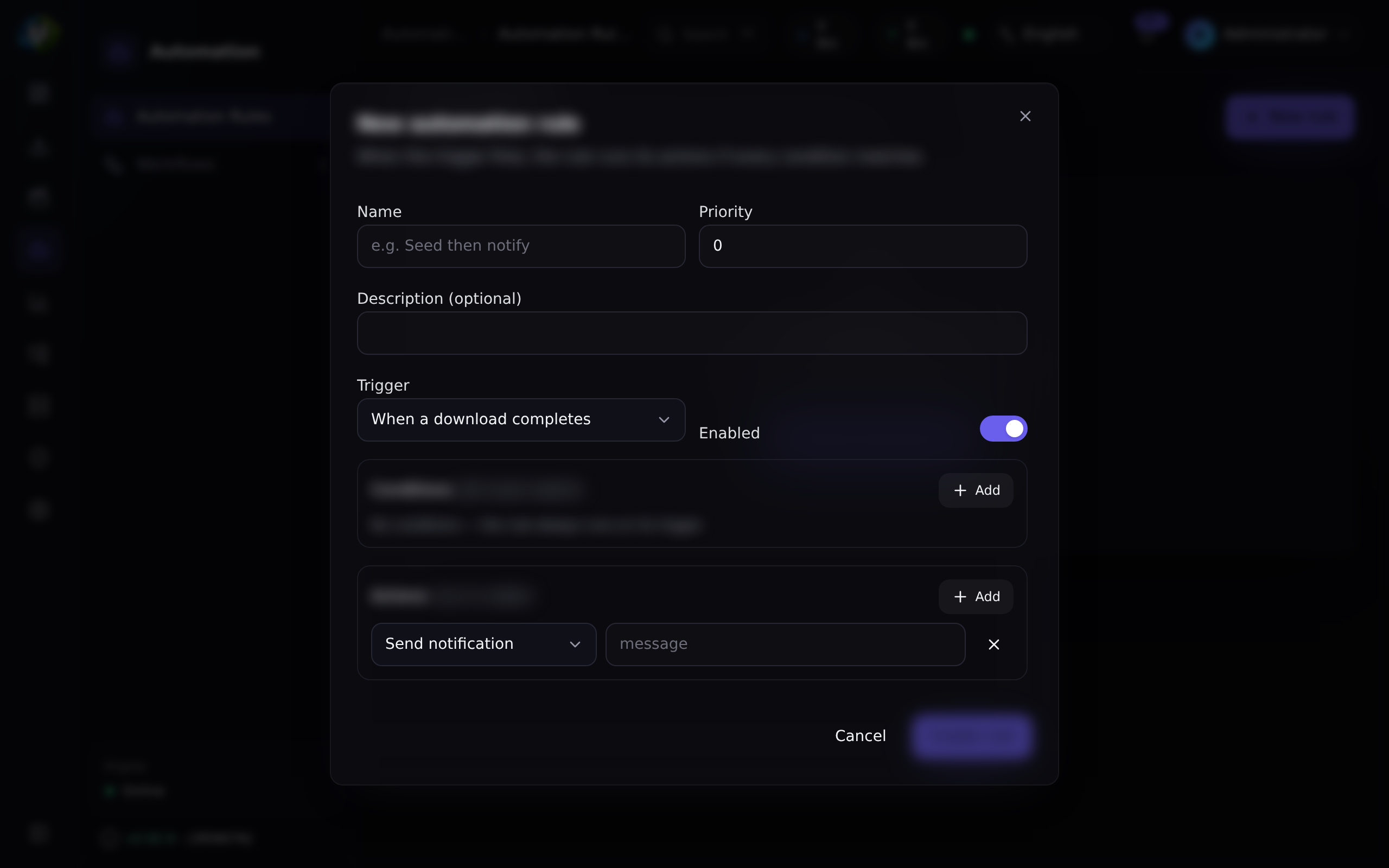
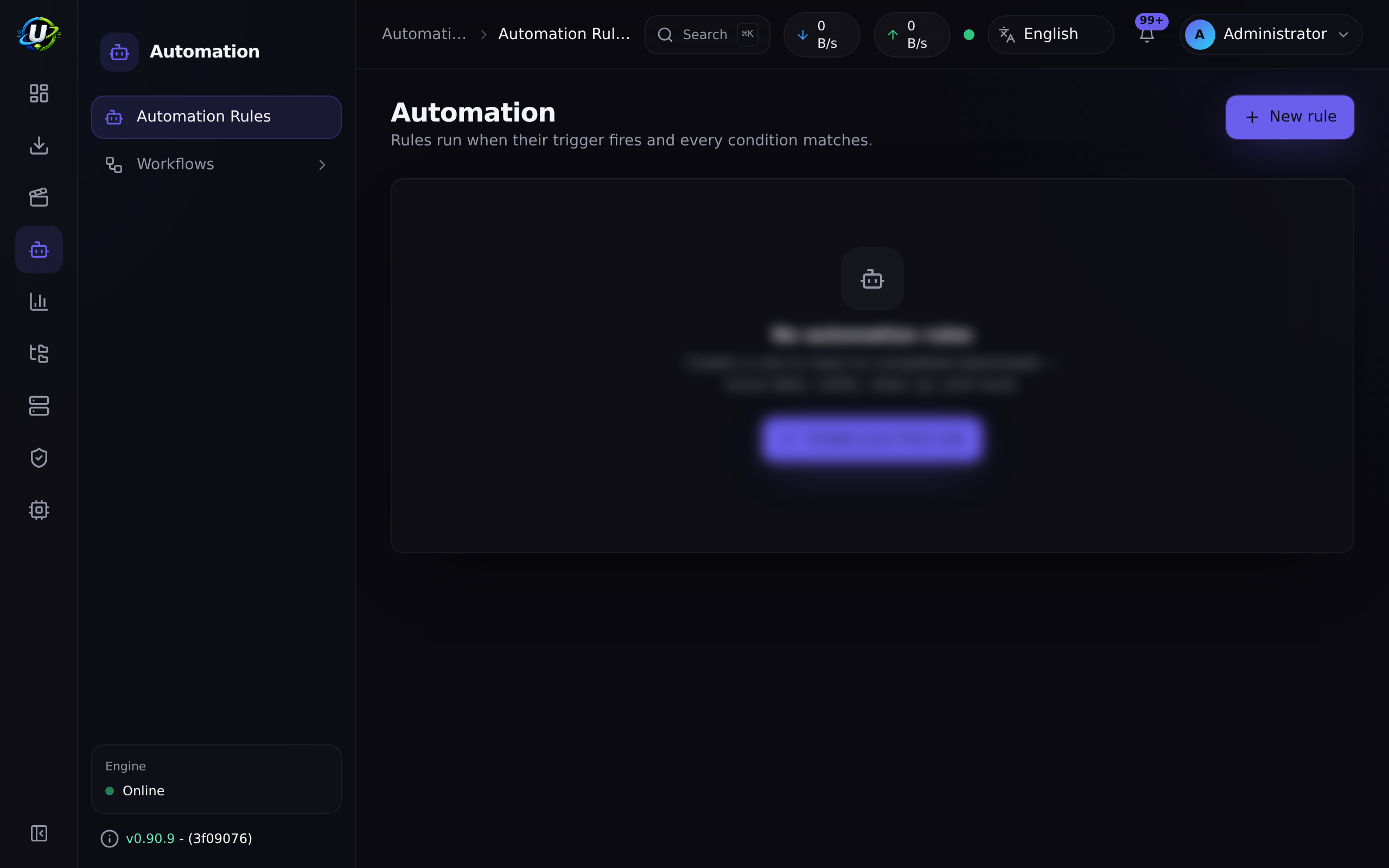
1. Go to Automation → Automation Rules.
2. Create a rule that cannot do any harm first. Trigger torrent.completed, no conditions, no actions at all. Save it, enabled.
3. Complete a download. Open the rule's Execution log: a success run appears, with the torrent's context. You have now proved the trigger fires and the rule matches — which is the thing most people never actually verify before writing something destructive.
4. Add a condition. label eq movies. Complete a torrent with a different label. The rule should not run. Check the Execution log to confirm.
5. Now do something real. Add a move action with a destination, or a rename_for_media action. The execution log records the run either way, so you can see whether it actually succeeded.
6. Watch the execution log. Every run is recorded, success or failure. So is the audit log, under automation.rule.executed.
Automation has no test, simulate, or preview capability. A rule is either off or live.
So: build the rule with no actions first, watch the execution log to prove the trigger and conditions behave, and only then add the action that deletes things. There is no undo, and a rule with zero conditions matches everything.
Screenshots
Video coming soon.
Real-world examples
Stop seeding at a ratio target
Trigger: ratio.reached. Condition: ratio gte 2.0. Action: stop.
Because ratio.reached is rising-edge, this fires exactly once — on the transition past 2.0 — not on every 2-second sync tick for the rest of the torrent's life. If you also want the data gone, use delete_with_data instead of stop, but test with stop first.
Hardlink completed movies into the library
Trigger: torrent.completed. Condition: label eq movies. Action: rename_for_media with preset: plex, mode: hardlink, and your movie libraryPath.
hardlink is the default mode for a reason: the file appears in the library and the original stays where the torrent client left it, so seeding continues. One copy of the bytes.
Convert an RSS rule to backfill when a show ends (API-only today)
Trigger: rss.show.ended. Action: convert_rule_to_backfill.
When the hourly show-status refresh notices a monitored show has ended, this turns off that rule's auto-download — you keep the rule and its history, but it stops forward-grabbing episodes that will never air. The action targets a rule either by explicit ruleId or by the show identity carried on the trigger's context.
Create this one via POST /api/automation/rules; the UI form does not yet offer rss.* triggers.
Fire a webhook into anything
Trigger: torrent.completed. Action: webhook with your URL. It POSTs a JSON body containing the torrent (or the event) and your params. That is your escape hatch for everything UltraTorrent does not do natively.
Troubleshooting
| Symptom | Cause | Fix |
|---|---|---|
| Completed torrents keep seeding despite a working delete rule | Two separate historical bugs. (1) torrent.completed only fired on the completion edge, so a torrent that was already complete when the rule was written never triggered. (2) rTorrent's delete did not verify that removal actually happened. Both are fixed — there is now a backfill (using successful log rows as a ledger) and delete verifies + retries. | Update. Then check the rule's Execution log — if the run shows success and the torrent is still there, it is an engine problem, not a rule problem. |
| A rule never fires | Most likely an unknown operator (which evaluates to false), or an invalid regex in a matches condition (which also returns false rather than throwing). Or the trigger genuinely is not firing. | Check the operator against the eight listed above. Then set the rule to zero conditions and no actions to prove the trigger itself fires. |
| A rule fires constantly | Zero conditions means always matches. And only ratio.reached is rising-edge — other triggers fire every time the event occurs. | Add conditions. |
| Only some of a rule's actions ran | The first action to throw aborts the rest of that rule. | Read the Execution log — the failure message names what went wrong. Put non-destructive actions first. |
Action "media_rename" is not valid for an event trigger | Event-context rules (the rss.* triggers) only permit webhook and the three rss_* actions. | Use a torrent or media trigger for torrent/media actions. |
I cannot find the media.* or rss.* triggers in the UI | The rule-builder form currently exposes only the two torrent triggers. The rest are engine-side and API-only. | Create the rule via POST /api/automation/rules. See GET /api/automation/catalog for the full live list. |
| A numeric condition behaves oddly | gt / gte / lt / lte coerce both sides to numbers. Comparing a non-numeric field numerically gives you NaN semantics. | Compare numeric fields numerically; use eq / contains for strings. |
| Two rules conflict | Every matching rule runs; there is no stop-after-first-match. Ordering is by priority, descending. | Use priority to sequence them, and make conditions mutually exclusive. |
Best practices
- Prototype with no actions. Prove the trigger and the conditions in the execution log before you attach anything destructive. There is no dry-run and no undo.
- Put the harmless actions first. The first action to throw aborts the rest, so ordering decides how much of the rule ran.
- Never leave a destructive rule with zero conditions. Zero conditions matches everything.
- Use
prioritydeliberately when rules could overlap. - Read the execution log after any change. It is the only feedback loop you have.
- Prefer
stopoverdelete_with_datauntil you are certain. - Remember
ratio.reachedis rising-edge — that is why it does not spam you.
Common mistakes
- Writing a
delete_with_datarule with no conditions and enabling it. This will delete everything, on completion, forever. - Assuming there is a dry-run. There is not.
- Using an operator that does not exist (
ne,regex,startsWith…) and concluding the engine is broken. Unknown operators silently evaluate tofalse. - Expecting every trigger to be rising-edge. Only
ratio.reachedis. - Trying to use a media action on an RSS trigger. Event-context rules reject it.
- Looking for
media.*triggers in the UI form. They are API-only for now.
FAQ
Can I test a rule before enabling it? No. There is no dry-run, simulate, or preview endpoint in the automation module. Build it with no actions and watch the execution log.
How often are torrent rules evaluated? On the torrent-sync loop, which runs every 2 seconds.
Do all matching rules run, or just the first?
All of them, in order of priority descending.
What happens if an action fails?
It aborts the remaining actions of that rule and the run is logged as failed, with the failure message. Other rules are unaffected.
Why does my ratio.reached rule only fire once?
Because it is rising-edge — it fires on the transition into the matching state. If the previous state already satisfied the conditions, the rule is skipped. This is the desired behaviour, not a bug.
Is there a visual/drag-and-drop rule builder? Not today. The UI is a structured form — rule cards, a create dialog, condition rows, and action rows with per-type parameter widgets. There is no canvas.
Are rule runs audited?
Yes. Every run writes automation.rule.executed to the audit log, with success or failure, the rule name, and the action list — in addition to the module's own execution log.
Checklist
- Create a rule:
torrent.completed, no conditions, no actions. Expected: asuccessrun is logged on the next completion. - Add a
labeleqcondition. Expected: it fires for matching labels only; the execution log shows nothing for others. - Deliberately use an unknown operator. Expected: the rule never fires — confirming the silent-
falsebehaviour. - Add two actions to the rule. Expected: both run, in order.
- Make the second action fail (a bad destination). Expected: the run logs
failed, with the failure message naming what threw. - Check the audit log. Expected: an
automation.rule.executedrow withresult: failure. - Create a
ratio.reachedrule and let a torrent pass the threshold. Expected: it fires exactly once, not repeatedly.
See also
- Torrents — where torrent triggers come from.
- Media Manager —
media.*triggers and the media actions. - RSS automation —
rss.*triggers and the backfill action. - Audit log — where rule runs are mirrored.
- API reference