System & Settings
Overview
This page covers the plumbing: the System module (health probes, version and update information) and the Settings module (the key/value store that everything else configures itself from).
Neither is glamorous. Both are load-bearing — the health probes are what your orchestrator uses to decide whether UltraTorrent is alive, and the settings store is where half the product's configuration actually lives.
Both are core modules (system, permission system.view / system.manage; settings, permission settings.view / settings.manage).
Why / when to use it
- You are deploying under Docker, Kubernetes, or systemd and need liveness/readiness endpoints.
- You want to see free space on every configured root in one request, before the disk fills up.
- You are diagnosing a slow or wedged instance and need to see load, memory, engine health, and free space in one place.
- You need to know exactly which build is running when reporting a bug.
Concepts
Liveness (/api/system/live) — "is the process running?" Public, no auth. Returns { status: 'ok', uptime }.
Readiness (/api/system/ready) — "can it actually serve traffic?" Public, no auth. It runs a SELECT 1 against Postgres and returns { status: 'ok' | 'degraded', database: boolean }.
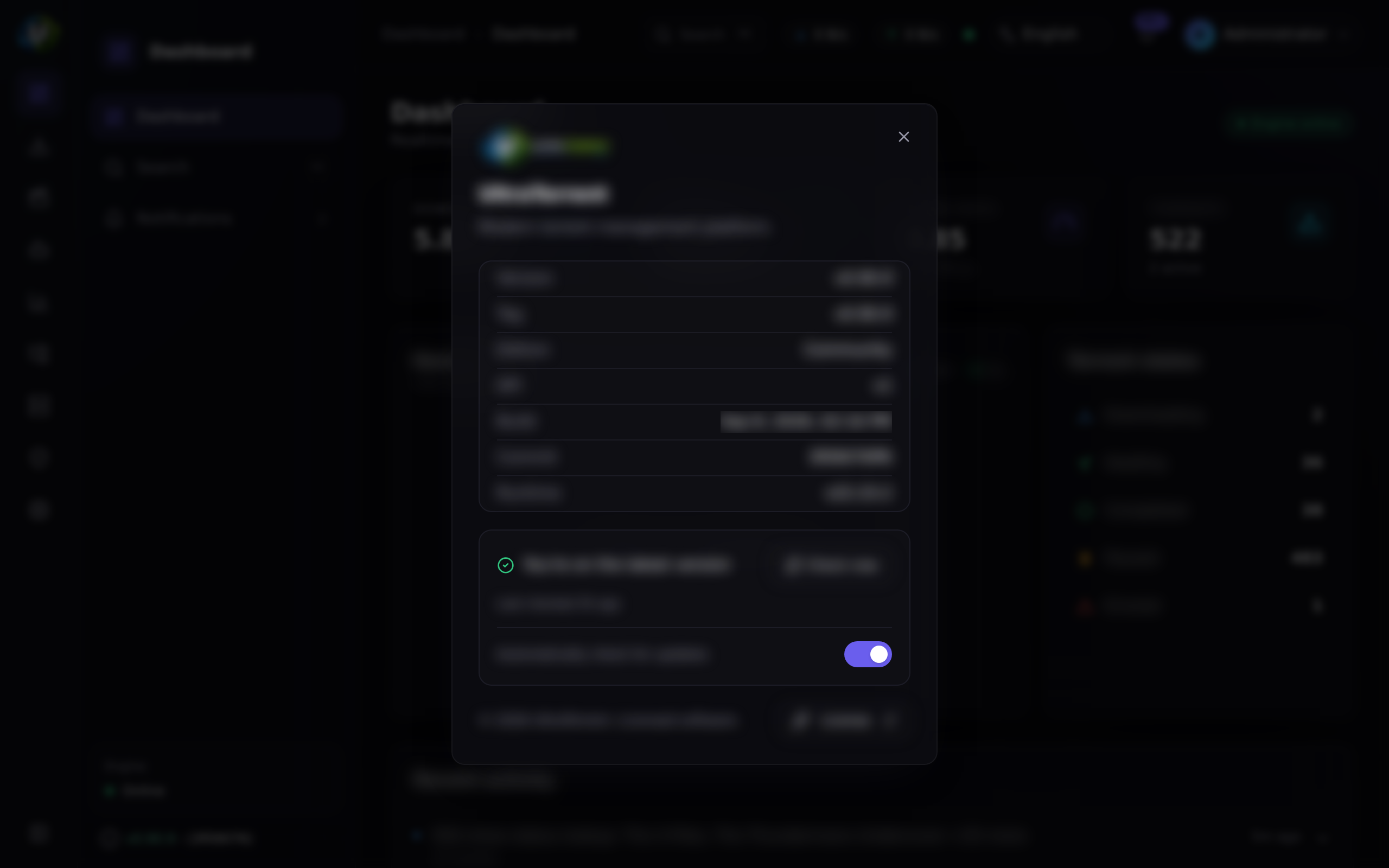
Version (/api/system/version) — public. Returns the product name, version, edition, API version, git tag, git SHA, build time, and Node version.
Health (/api/system/health) — the real diagnostic surface. Requires system.view.
Settings — a flat key → value table, not a structured schema. Keys are dot-namespaced strings (general.theme, engine.pollIntervalMs). A GET returns one flat map.
How it works
/api/system/health is a pull surface: it answers when you ask. There is no
background resource monitor and nothing watches your thresholds for you — poll it
from whatever monitoring you already run.
Configuration
System endpoints
| Method | Path | Auth | Permission |
|---|---|---|---|
| GET | /api/system/live | Public | — |
| GET | /api/system/ready | Public | — |
| GET | /api/system/version | Public | — |
| GET | /api/system/health | Bearer | system.view |
| GET | /api/system/update | Bearer | system.view |
| POST | /api/system/update/check | Bearer | system.view |
| PATCH | /api/system/update/settings | Bearer | system.manage |
The Administrator role is defined as every permission except system.manage. Since PATCH /api/system/update/settings is the only route requiring it, only a Super Admin can enable or disable background update checks.
GET /api/system/health returns:
process—uptime(seconds),memory(resident set size, bytes),nodeVersion,load(the 1/5/15-minute triple), andcpus(core count).engines— per registered engine:{ engineId, kind, online, latencyMs, version, error, checkedAt }.disks— for eachFILE_MANAGER_ROOTSpath:{ path, total, free, used }in bytes, or anunavailableerror.
Settings
Settings are a flat key/value store, not sections. Six keys are seeded:
| Key | Default |
|---|---|
general.productName | "UltraTorrent" |
general.theme | "dark" |
security.refreshTokenTtlDays | 30 |
security.accessTokenTtlMinutes | 15 |
engine.pollIntervalMs | 2000 |
fileManager.defaultRootPath | "" (empty = use the FILE_MANAGER_ROOTS env boundary as-is) |
1. Values in the settings table are NOT encrypted. They are stored as plaintext JSON. Encryption exists in UltraTorrent — AES-256-GCM via SecretCipher — but it protects secrets in other modules' own tables: engine passwords, indexer and Prowlarr API keys, media-server tokens, TOTP secrets, and the IMDb API key. Do not put a secret in the generic settings store.
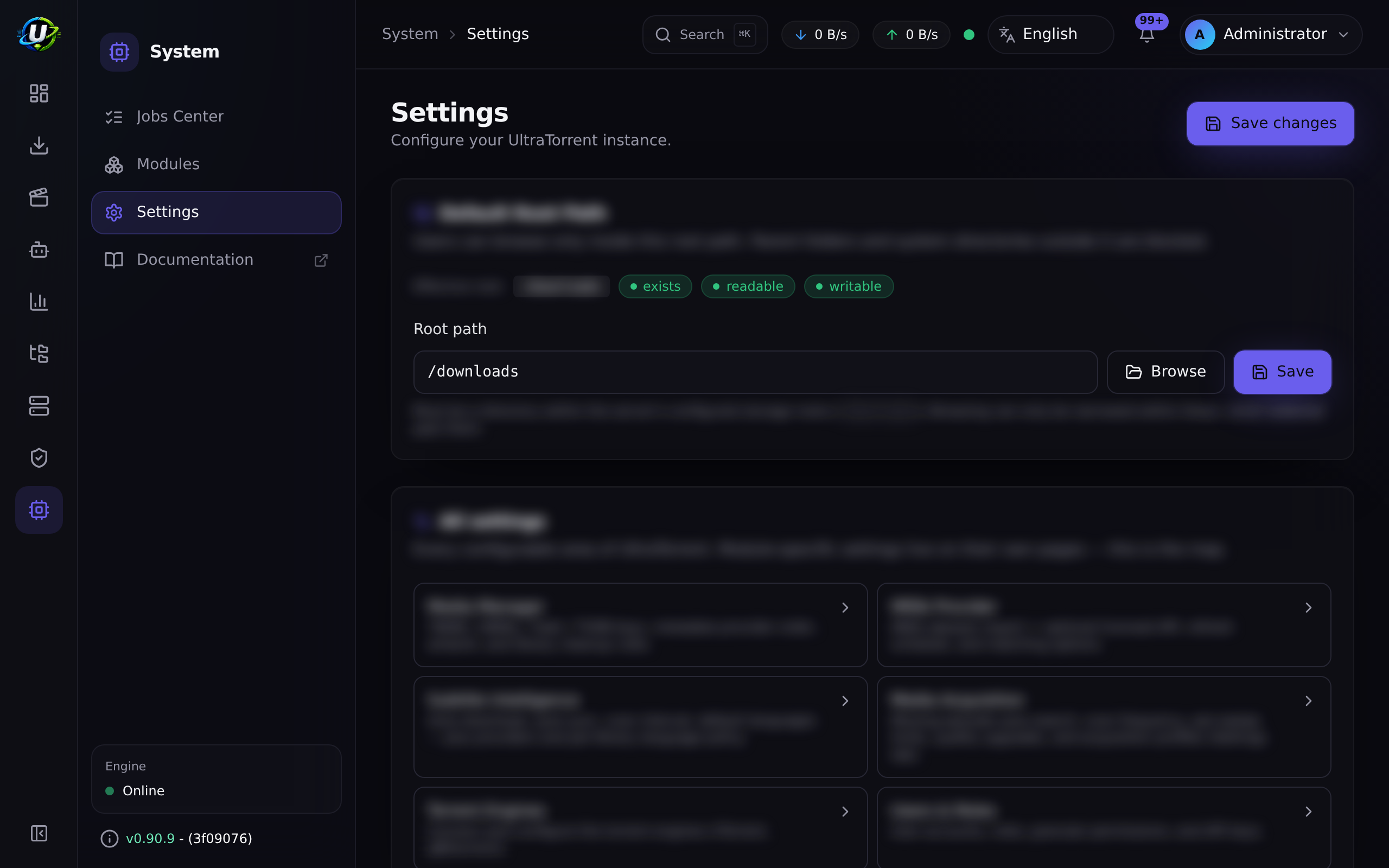
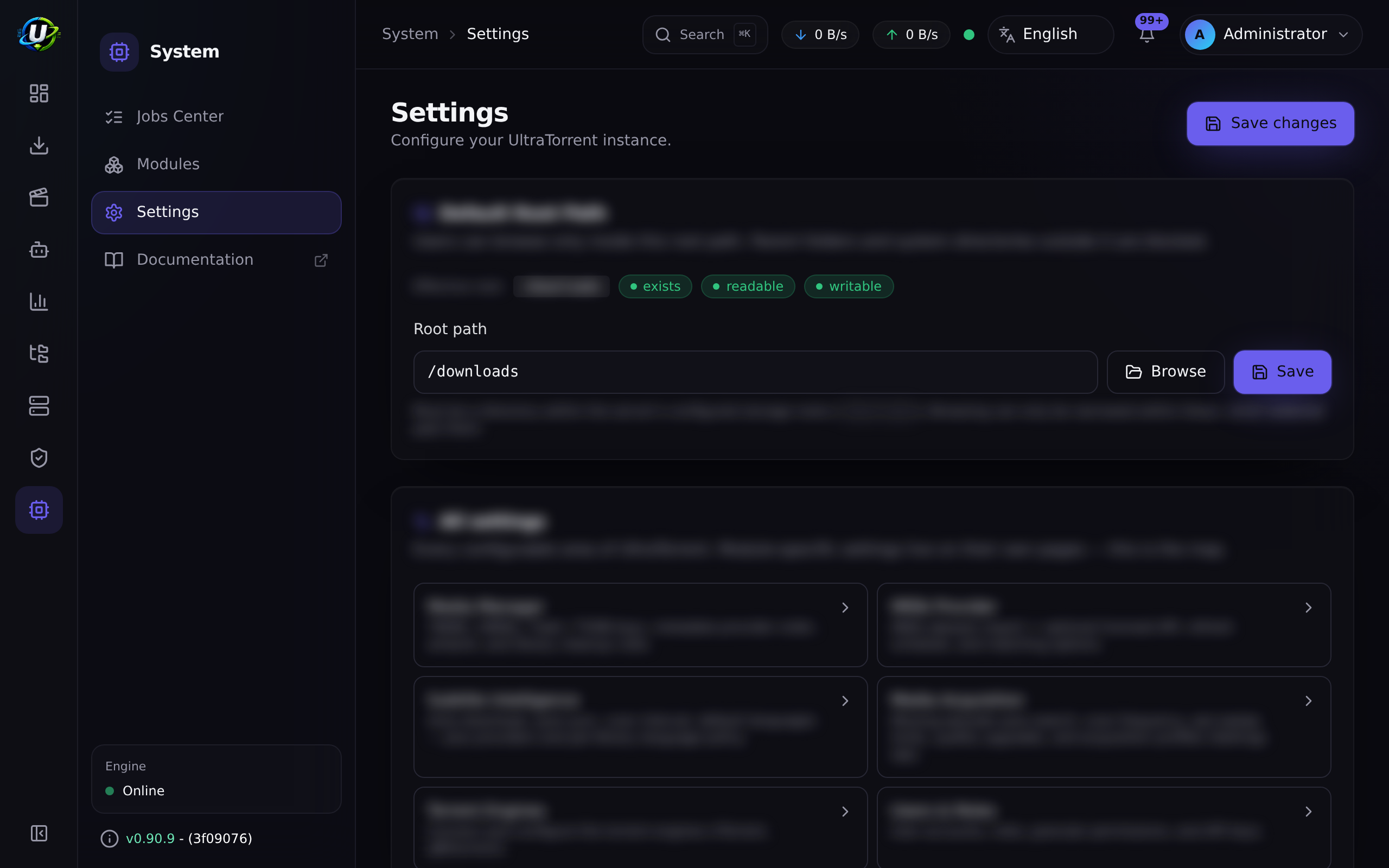
2. The Settings page is not a schema. Beyond a few purpose-built cards (Default Root Path, Email settings, Newsletter images, Prowlarr), it auto-renders a generic key/value list of whatever keys happen to exist in the database — choosing the widget by the JavaScript type of the value (boolean → a switch, number → a number input, object → read-only JSON, otherwise a text box).
So the "sections" you see depend entirely on which keys are in the table. Two installs can show different Settings pages.
Public URL
Some features need to know how the outside world reaches this instance — an unsubscribe link in a newsletter, or a self-hosted poster URL. Neither can be derived from an inbound request, because both are used in email, long after the request is gone.
Settings carries the instance's public URL, and reports on it honestly: if the address is not actually reachable, it says so rather than storing an untested string that quietly produces dead links in everyone's inbox.
Email settings
Settings → Email settings configures SMTP. Three things worth knowing:
- The TLS certificate is named. The settings card reports which certificate the relay presented, so a host-mismatch failure is legible rather than a generic handshake error. A wildcard certificate has no IP SAN — connecting by bare IP will fail validation even though the hostname works.
- A test send is recorded, with its outcome and its reason. You can see whether the last test actually succeeded rather than inferring it from the absence of a toast.
- A failing test no longer fails silently. It reports what went wrong.
fileManager.defaultRootPath is a protected key. Writing it through PUT /api/settings/:key or PATCH /api/settings returns a 403 telling you to use the dedicated route, PUT /api/files/root, which requires the separate settings.manage_root_path permission and validates the path against the hard roots. See File Manager.
| Method | Path | Permission |
|---|---|---|
| GET | /api/settings | settings.view |
| PUT | /api/settings/:key | settings.manage |
| PATCH | /api/settings | settings.manage (bulk upsert) |
| PUT | /api/files/root | settings.manage_root_path |
Step-by-step walkthrough
1. Wire the probes into your orchestrator.
Docker Compose:
healthcheck:
  test: ["CMD", "curl", "-fsS", "http://localhost:4000/api/system/live"]
  interval: 30s
  timeout: 5s
  retries: 3
Kubernetes:
livenessProbe:
  httpGet: { path: /api/system/live, port: 4000 }
readinessProbe:
  httpGet: { path: /api/system/ready, port: 4000 }
Use liveness to decide whether to restart the container, and readiness to decide whether to send it traffic. /ready checks the database; /live does not.
2. Look at /api/system/health once, deliberately. It is the single best diagnostic surface in the product: process load and memory, every engine's health with latency and version, and free space on every configured root. Bookmark it.
3. Check the version. GET /api/system/version (public) gives you the version, git tag, git SHA, and build time. Always include this when you report a bug.
4. Leave the settings you do not understand alone. The Settings page auto-renders whatever keys exist. If you do not know what a key does, it is not there for you to tune.
Screenshots
Video coming soon.
Real-world examples
See the disk filling before it breaks everything
A media stack fills its disk quietly and then everything fails in confusing ways at once: downloads stall, renames fail, the database refuses writes. GET /api/system/health reports total, free and used bytes for every FILE_MANAGER_ROOTS path, so a scrape from whatever monitoring you already run turns that silent failure into a number you can put a threshold on.
Give Kubernetes an honest readiness signal
/api/system/live says the process is up. /api/system/ready says the database is reachable. Those are genuinely different failures, and conflating them is how you get a pod that restarts in a loop when the real problem is Postgres. Point livenessProbe at /live and readinessProbe at /ready, and the orchestrator will stop sending traffic to an instance that cannot serve it — without killing it.
Diagnose a slow instance in one request
Something feels wrong. GET /api/system/health tells you, in one payload: the 1/5/15-minute load average against your core count (is the box saturated?), resident memory, every engine's health with latency (is rTorrent wedged?), and free space per root (are you out of disk?). That is usually enough to know where to look next.
Troubleshooting
| Symptom | Cause | Fix |
|---|---|---|
/api/system/ready returns degraded | The database is unreachable — the SELECT 1 failed. | Check Postgres, its credentials, and the network between it and the backend. |
| The container is restarting in a loop | Your liveness probe is pointed at /ready, so a temporary database blip kills the container. | Point liveness at /live and readiness at /ready. They exist for different questions. |
| I cannot toggle update checks | PATCH /api/system/update/settings requires system.manage, and the Administrator role is explicitly defined as everything except system.manage. | Use a Super Admin account. |
| Nothing warned me the disk was full | There is no background resource monitor. /api/system/health reports free space only when something asks it. | Scrape /api/system/health from your own monitoring and alert there. |
A settings key will not save: 403 | fileManager.defaultRootPath is a protected key and cannot be written through the generic settings endpoints. | Use Settings → Default Root Path, which calls PUT /api/files/root and needs settings.manage_root_path. |
| The version badge shows no commit hash | Historically, the git commit was only baked in when build args were passed. Fixed: it is now always baked in. | Update, and rebuild with the canonical build wrapper. |
| Two installs show different Settings pages | Expected. Beyond the purpose-built cards, the page auto-renders whatever keys exist in the database, choosing a widget by the value's JavaScript type. | Not a bug. |
| I put an API key in the settings store and it is in plaintext | Settings values are not encrypted. Encryption protects secrets in other modules' own tables, not this one. | Never store a secret here. Use the module that owns it — engines, indexers, and media-server integrations all encrypt their own credentials. |
Best practices
- Point liveness and readiness at the right endpoints.
/livefor "restart me",/readyfor "send me traffic". - Scrape
/api/system/healthfrom your own monitoring. Free space per root is in there, and nothing in UltraTorrent will warn you about it on its own. - Never put a secret in the settings store. It is plaintext.
- Include
GET /api/system/versionoutput in every bug report. Version, git tag, git SHA, build time. - Restrict
system.manage. It is the one permission Administrator deliberately does not hold. - Do not tune settings keys you do not recognise. The page renders whatever is in the table, including keys you were never meant to touch.
Common mistakes
- Using
/readyas the liveness probe, which turns a transient database hiccup into a restart loop. - Storing an API key or a password in the generic settings store, where it is plaintext.
- Expecting UltraTorrent to alert you when a disk fills. It reports; it does not watch.
- Trying to set the Default Root Path through
PATCH /api/settings. It is protected; it has its own route and its own permission. - Assuming Administrator can do everything. It cannot toggle update checks.
FAQ
Are the health endpoints public?
/live, /ready, and /version are public and unauthenticated — orchestrators cannot send a bearer token. /health, which is the detailed one, requires system.view.
Does anything watch load, memory, or free disk for me?
No. /api/system/health reports all three, but only when it is called. Poll it from
your own monitoring if you want thresholds and alerts.
Are settings encrypted?
No. Values in the settings table are plaintext JSON. Secrets live in their owning module's table, AES-256-GCM encrypted (engine passwords, indexer and Prowlarr API keys, media-server tokens, TOTP secrets, the IMDb API key).
Why does my Settings page look different from someone else's? Because beyond a few purpose-built cards, it auto-renders whatever keys exist in the database, picking a widget by the value's type. It is not a fixed schema.
Why can't my Administrator account change the update setting?
Administrator is defined as every permission except system.manage — and that route is the only one requiring it. Use a Super Admin.
Where do I find which build I am running?
GET /api/system/version, or the version badge in the app header, which shows the release tag and the abbreviated git commit.
Checklist
-
curl /api/system/live. Expected:{ status: 'ok', uptime }, with no auth. -
curl /api/system/ready. Expected:{ status: 'ok', database: true }. - Stop Postgres and re-check
/ready. Expected:degraded,database: false— and/livestillok. - Call
/api/system/healthwithsystem.view. Expected: process, engines (with latency and version), and disks (with free bytes per root). - Wire the probes into your orchestrator. Expected: liveness →
/live, readiness →/ready. - Check the version badge. Expected: a release tag and an abbreviated commit hash.
- Confirm no secret is stored in the generic settings table. Expected: none.
See also
- File Manager — the Default Root Path and its protected-key rules.
- Engines — the engine health that
/healthreports. - Modules overview — the module registry.
- Environment reference — the variables behind all of this.
- Performance tuning
- Troubleshooting
- Backup