Users & Roles
Overview
Users is where you create accounts and decide what they may do. What they may do is expressed as permissions — about a hundred dot-namespaced strings like torrents.delete_data or media_manager.rename — which are bundled into roles.
The server is always authoritative. The UI hides what you cannot do as a convenience; the backend's permission guard is what actually refuses.
It is a core module (id users, permissions users.view / users.manage) and depends on auth and rbac.
Why / when to use it
- You share your instance. A housemate should be able to browse and download; they should not be able to delete your library.
- You want least privilege. Most people never need
torrents.delete_dataorsettings.manage. - You want accountability. Every user's actions are attributed in the audit log.
Prerequisites
users.viewto see users,users.manageto create, edit, or delete them.- Only a Super Admin can grant the Super Admin role.
A fresh install seeds a super-admin account:
| Username | admin |
|---|---|
admin@ultratorrent.local | |
| Password | changeme123! |
Change it before the instance is reachable by anyone else. This is step zero of every install.
Concepts
Permission — one capability, as a string (torrents.view, media_manager.rename). About a hundred exist. See the permissions reference.
Role — a named bundle of permissions. Five are seeded, and all five are marked isSystem.
Super-admin bypass — the SUPER_ADMIN role bypasses all granular permission checks in the guard. It does not "have every permission" so much as "is never asked".
Refresh-token family — sessions are refresh tokens organised into families, with rotation and reuse detection. Presenting an already-revoked refresh token revokes the entire family — the assumption being that a replayed token means it was stolen.
The seeded roles
| Role | What it holds |
|---|---|
| Super Admin | Everything. Bypasses granular checks entirely. |
| Administrator | Everything except system.manage. In practice this means only a Super Admin can toggle background update checks. |
| Power User | All torrents.* except delete_data; categories and tags; all rss.*; automation.view + manage; all indexers.*; all integrations.prowlarr.*; all files.*; system.view; most media_manager.* including IMDb. No settings.*, no users.*, no audit.view, no apikeys.manage. |
| User | torrents.view/add/pause/resume/start/stop; categories and tags; rss.view + show-status lookup; files.view/preview/download; media_manager.view; IMDb view + search. |
| Read-Only | torrents.view, rss.view + show-status lookup, automation.view, files.view/preview/download, system.view, media_manager.view. |
GET /api/users/roles is read-only. There is no endpoint to create, update, or delete a role, and no custom-role UI. A roles.manage permission string is defined in the catalog, but no route currently uses it — it is inert.
You assign one or more of the five seeded roles. If you need a permission set that does not exist, you are currently choosing the nearest role — or contributing one. See RBAC.
Also note: the seed deletes and recreates every role → permission mapping when it runs. Hand-editing a system role's permissions in the database will not survive a re-seed.
How it works
Privilege-escalation guards
Four rules are enforced server-side and are worth knowing:
- Only a Super Admin can grant the Super Admin role. Anyone else gets a
403. - Nobody can change their own roles. Not even a Super Admin.
403: "You cannot change your own roles". - System users cannot be deleted.
400. - Deactivating a user immediately revokes all their refresh tokens. They are logged out everywhere, at once.
Configuration
Creating a user
| Field | Rules |
|---|---|
username | Required. |
email | Required. |
displayName | Optional, max 120 chars. |
password | Required, minimum 10 characters. Hashed with Argon2id. |
roleNames[] | One or more of the five seeded roles. |
There is a 10-character minimum and nothing else: no complexity rules, no password history, no expiry or rotation, and no breach check.
There is also no forgot-password or password-reset flow, and an administrator cannot reset another user's password — the update DTO has no password field. Password change is self-service only (Profile → Password), and changing it revokes all of that user's refresh tokens.
If a user forgets their password, an operator must reset it directly in the database.
Two-factor authentication
TOTP, via any authenticator app.
| Aspect | Detail |
|---|---|
| Algorithm | TOTP, with a ±1 step (30 s) window for clock skew. |
| Enrollment | Profile → Two-factor → Setup returns a secret, an otpauth:// URL, and a QR code. Scan it, then confirm with a code to enable. |
| Secret storage | Encrypted at rest. |
| Recovery codes | 10 are issued on enable, in the format xxxxx-xxxxx-xxxxx-xxxxx (80 bits of entropy). Only SHA-256 hashes of them are stored. |
| Using a recovery code | Supply it in the same field as a TOTP code at login. It is consumed on use. |
| Regenerating codes | Requires a valid current TOTP code. |
| Disabling | Requires the account password. Wipes the secret and the recovery codes. |
There is no mechanism — no setting, permission, or admin action — to require 2FA for a user, a role, or the instance. It is purely opt-in, per user.
If you need everyone on 2FA, you need a policy and a person to check it, not a switch. Consider putting the instance behind an authenticating reverse proxy if you need enforced MFA.
Sessions and rate limits
| Setting | Default |
|---|---|
| Access-token TTL | 15 minutes (JWT_ACCESS_TTL) |
| Refresh-token TTL | 30 days (JWT_REFRESH_TTL_DAYS) |
| Global rate limit | 120 requests / 60 s |
POST /api/auth/login | 5 / min |
POST /api/auth/refresh | 20 / min |
Refresh tokens are stored hashed (SHA-256), rotate on every use, and detect reuse. A refresh also re-checks isActive — a deactivated account cannot refresh its way back in.
Endpoints
| Method | Path | Permission |
|---|---|---|
| GET | /api/users | users.view |
| GET | /api/users/roles | users.view (read-only) |
| POST | /api/users | users.manage |
| PATCH | /api/users/:id | users.manage |
| DELETE | /api/users/:id | users.manage |
Account self-service (/api/account, authenticated, no permission required):
GET/PATCH /profile, POST /password, GET /2fa, POST /2fa/setup, POST /2fa/enable, POST /2fa/disable, POST /2fa/recovery.
Step-by-step walkthrough
1. Change the seeded admin password. Profile → Password. Do this first, before anything else, before anyone else can reach the instance.
2. Enable 2FA on the admin account. Profile → Two-factor → Setup. Scan the QR with your authenticator. Enter a code to enable it.
3. Save your recovery codes somewhere you will actually find them. You get ten, once. They are stored only as hashes, so nobody — including you — can recover them later. This is the only chance.
4. Create a real user for yourself. Running day-to-day as the seeded admin account muddies the audit trail. Give yourself an Administrator account with your own name.
5. Create accounts for other people at the lowest role that works. Start at User or Read-Only. Escalate only when someone actually hits a wall.
6. Verify. Log in as the new user and confirm they cannot reach what they should not. The nav will hide it, but check a route directly — the backend is the real gate, and that is what you are testing.
Screenshots
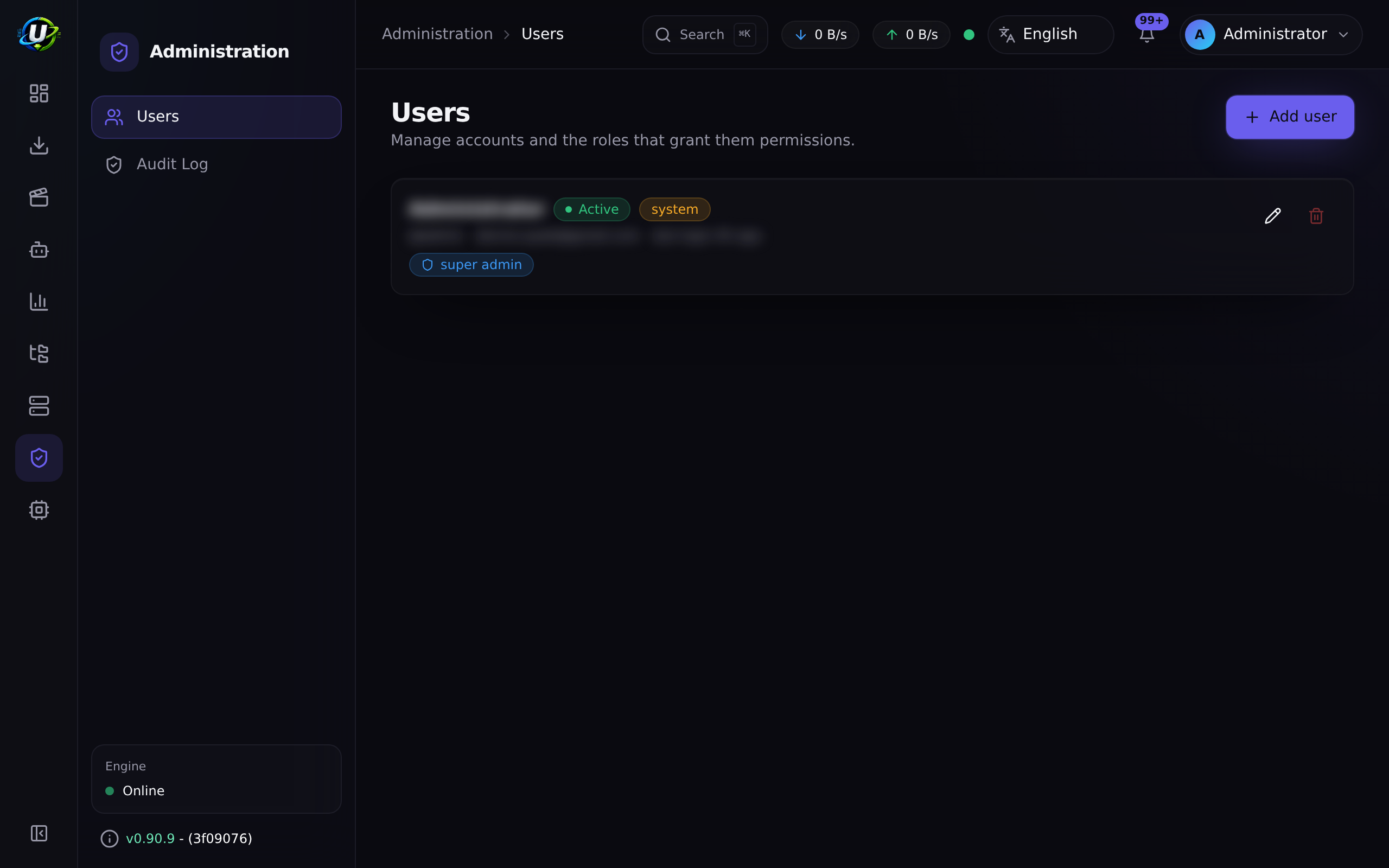
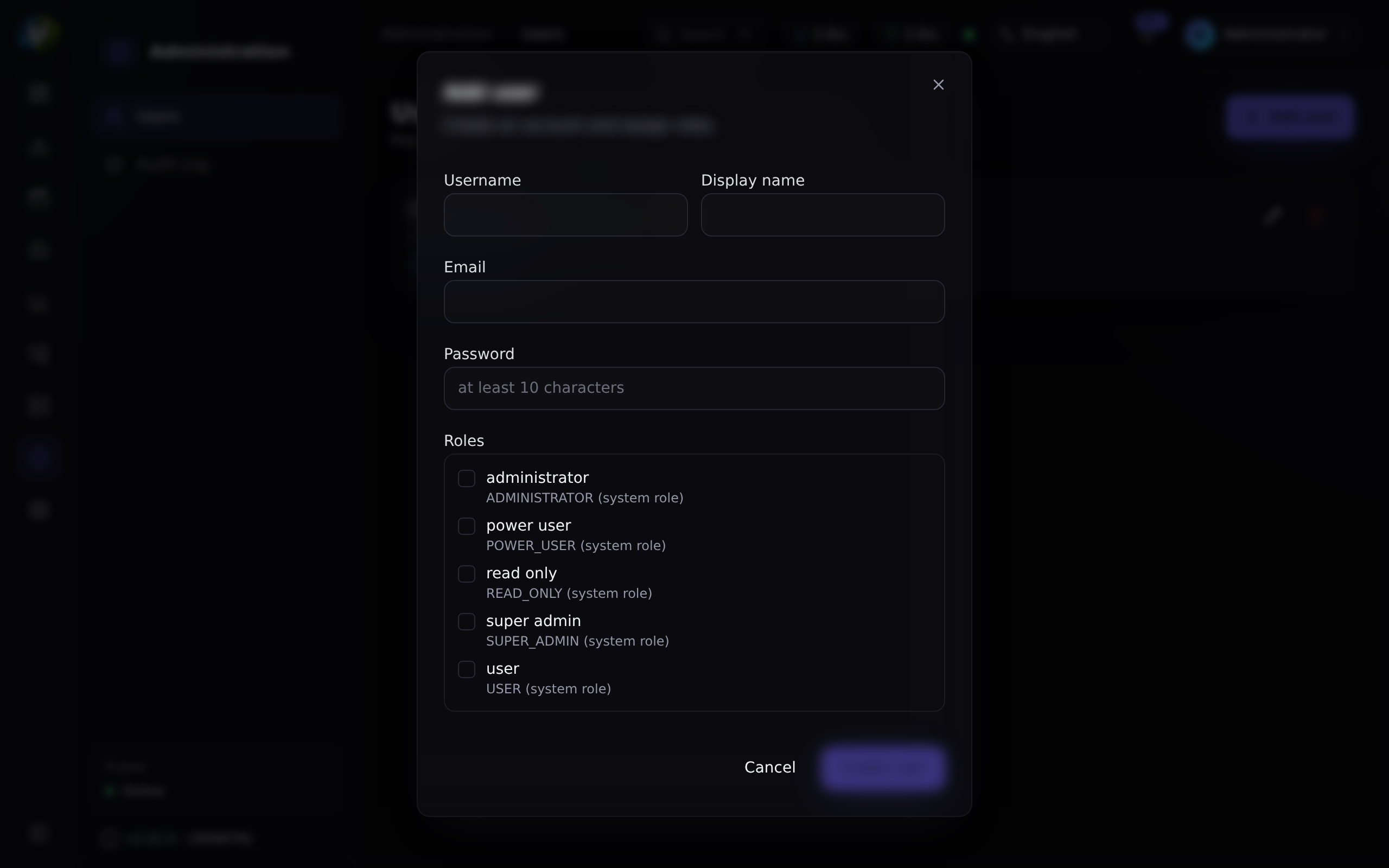
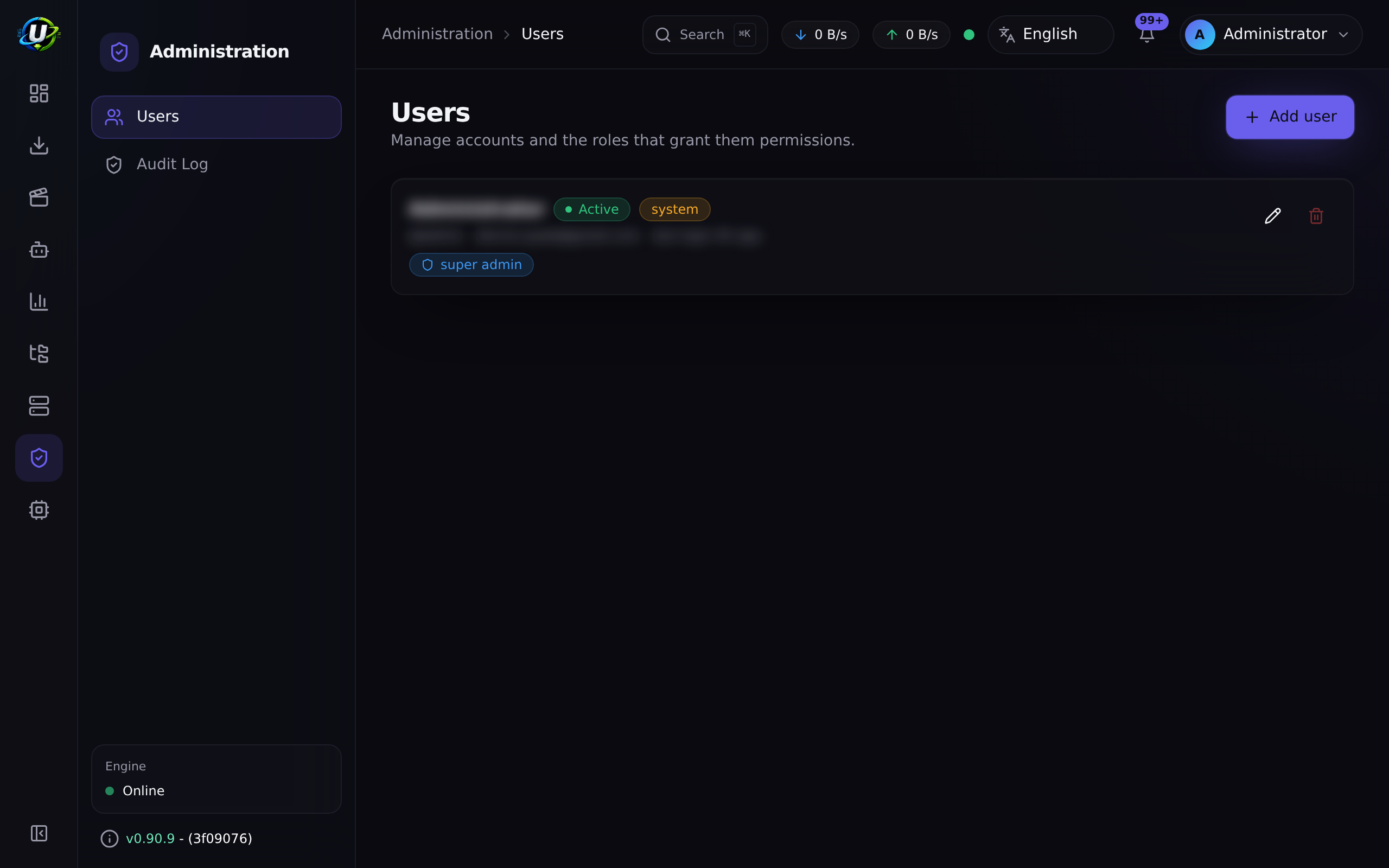
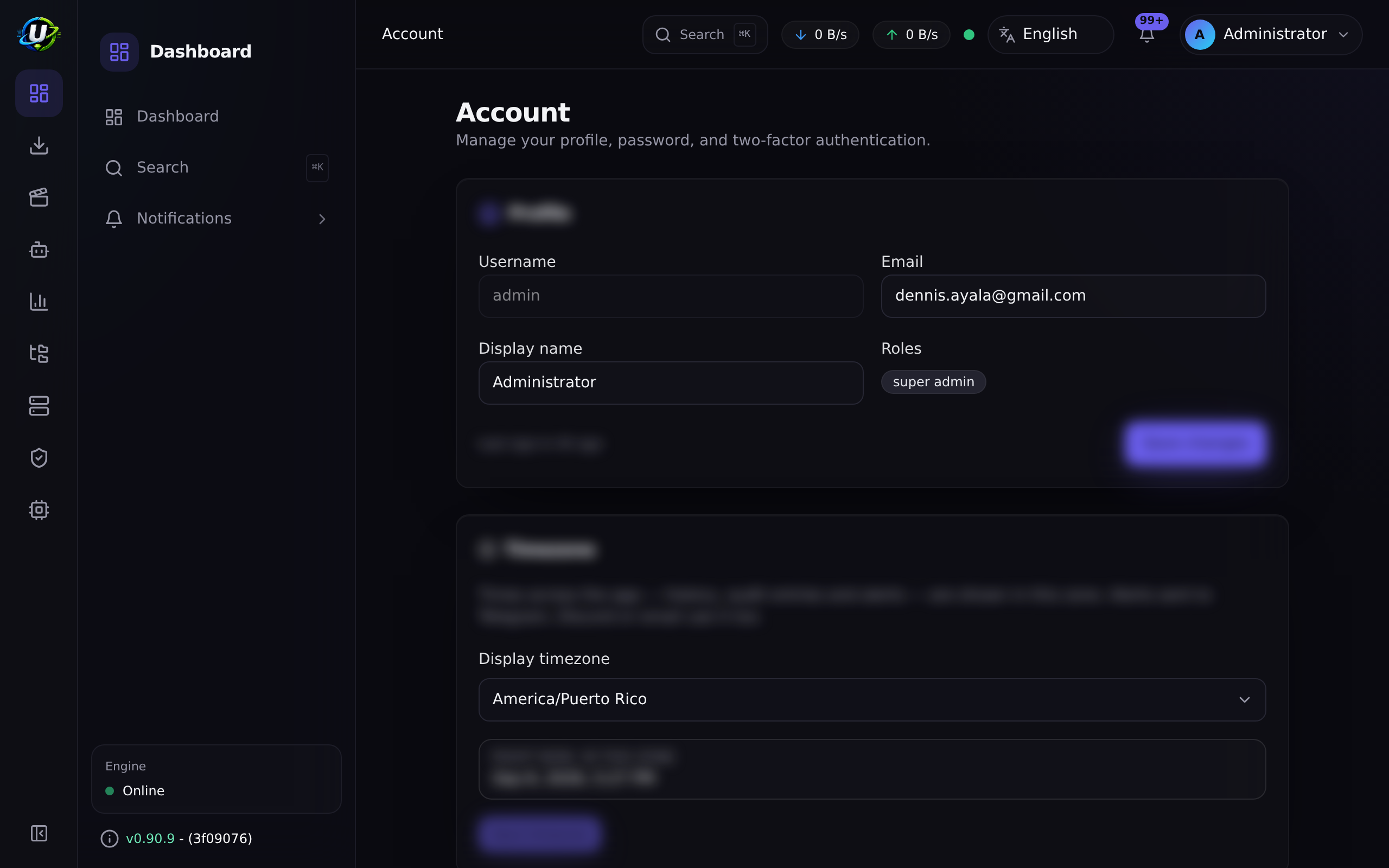
Video coming soon.
Real-world examples
Give a housemate access without giving them your library
Create them as a User. They can view, add, pause, and resume torrents, browse and download files, and see the media library. They cannot delete torrent data, manage settings, see the audit log, manage users, or touch your libraries. If they need to be able to write RSS rules, upgrade them to Power User — which still cannot delete torrent data or reach settings, users, or the audit log.
Give someone a purely observational account
Read-Only. They can look at torrents, RSS, automation rules, files, system health, and the media library. They can change nothing at all. This is the right role for a dashboard on a wall, or for someone you want to be able to diagnose but not act.
Lock down an admin account properly
Change the password. Enable 2FA and store the recovery codes offline. Create a separate, non-admin day-to-day account for yourself, and only escalate to the admin one when you actually need it. Then check the audit log — every admin action is attributed, and using a shared admin account destroys that attribution.
Troubleshooting
| Symptom | Cause | Fix |
|---|---|---|
| A user forgot their password | There is no reset flow. No forgot-password endpoint, and an admin cannot reset another user's password — the update DTO has no password field. | An operator must reset the hash directly in the database. This is a real gap; plan for it. |
403: You cannot change your own roles | Deliberate. Nobody may escalate themselves, including a Super Admin. | Have another Super Admin do it. |
403: Only a super admin can grant the SUPER_ADMIN role | Deliberate. | Log in as a Super Admin. |
| A deactivated user is still logged in | They should not be — deactivating immediately revokes all their refresh tokens, and refresh re-checks isActive. Their current access token remains valid for up to its 15-minute TTL. | Wait out the access-token TTL. |
Login returns 401 TwoFactorRequired | The account has 2FA enabled and no code was supplied. This is not a failed login and is deliberately not audited as one. | Supply the TOTP code, or a recovery code, in the same field. |
| A TOTP code is always rejected | Clock skew beyond ±1 step (30 s). | Sync the clock on the device generating the codes, and on the server. |
| A user lost their authenticator and their recovery codes | Recovery codes are stored only as SHA-256 hashes. They cannot be recovered. | An operator must clear the user's 2FA fields in the database. |
| I edited a system role's permissions and they reverted | The seed deletes and recreates every role → permission mapping when it runs. | Do not hand-edit system roles. Custom roles are not yet supported. |
| I cannot create a custom role | Role CRUD does not exist. GET /api/users/roles is read-only, and the roles.manage permission is currently unwired. | Use the nearest seeded role. See RBAC. |
Best practices
- Change the seeded admin password before the instance is reachable. Nothing else matters if you skip this.
- Enable 2FA on every privileged account, and store the recovery codes offline.
- Do not use the seeded
adminaccount day to day. It destroys audit attribution. - Start at the lowest role that works and escalate only on a real need.
- Split
deletefromdelete_datamentally. Power User deliberately does not gettorrents.delete_data— that is the design, and it is a good one. - Deactivate rather than delete. Deactivating revokes every session instantly and preserves the audit trail.
- Have a database plan for password resets. There is no in-app flow.
Common mistakes
- Leaving
changeme123!in place. It is the first thing anyone will try. - Giving everyone Administrator because Power User "did not have quite enough". Look at what they actually hit a wall on.
- Assuming 2FA can be enforced. It cannot. It is opt-in per user.
- Discarding the recovery codes because the authenticator "is on my phone and I never lose my phone".
- Assuming hiding a nav entry protects a route. It does not. The backend guard does. Test the route, not the menu.
FAQ
Can I create a custom role?
Not currently. Roles are the five seeded ones, and GET /api/users/roles is read-only. The roles.manage permission exists in the catalog but is wired to nothing.
What is the difference between Super Admin and Administrator?
Administrator holds every permission except system.manage. In practice, only a Super Admin can toggle background update checks. Super Admin also bypasses granular permission checks entirely in the guard, rather than being checked against a list.
Can I force everyone to use 2FA? No. There is no enforcement mechanism at all. If you need enforced MFA, put the instance behind an authenticating reverse proxy.
How do I reset a user's password? Directly in the database. There is no forgot-password flow and no admin-initiated reset. This is a known gap.
What happens if someone steals a refresh token? Refresh tokens rotate on every use and the system detects reuse: presenting an already-revoked token revokes the entire token family, logging out both the thief and the legitimate user. That is the intended behaviour — a replayed token means something is wrong.
Are logins audited?
Yes — auth.login, for both success and failure. A pending 2FA challenge is deliberately not audited as a failed login.
How long does a session last? The access token lives 15 minutes; the refresh token 30 days. The client refreshes transparently.
Checklist
- Change the seeded
adminpassword. Expected: the old one no longer works, and all its refresh tokens are revoked. - Enable 2FA on the admin account. Expected: a QR code, then ten recovery codes shown once.
- Log out and back in with a TOTP code. Expected: login succeeds.
- Log in with a recovery code. Expected: it works, and it is consumed — using it again fails.
- Create a Read-Only user. Expected: they can view but change nothing.
- As that user, call a mutating endpoint directly. Expected: 403 from the backend, not just a hidden button.
- Try to change your own roles. Expected:
403. - Deactivate a user. Expected: their refresh tokens are revoked immediately.
- Check the audit log. Expected: the logins, the user creation, and the role change are all attributed.
See also
- Permissions reference — every permission string.
- RBAC — how the guard works, and how to extend it.
- Authentication — JWTs, refresh rotation, reuse detection.
- API keys — and why they are not yet a credential.
- Audit log — attribution.
- Security